

The fastest way to turn a presentation into pipeline is to stop treating lead capture as a separate step. Don’t pass a clipboard. Don’t beg for business cards at the door. Instead, make the capture a byproduct of something the audience genuinely wants — your slides, a workbook, a template, the answer to the question they were too shy to ask aloud. When attendees join from their phone to get that thing, you have their contact. The talk and the lead capture become the same motion.
That single shift is the difference between walking off stage with two business cards and walking off with a list of everyone who leaned in.
Why most presentation leads evaporate
I have watched the same loss happen at hundreds of talks. The speaker delivers something genuinely useful, the room nods along, and then — nothing. The “if you want my deck, email me” slide flashes for eight seconds. Three people actually do it. The rest mean to and never will. All that interest, gone the moment people stand up and check their phones.
The problem is not the content. It is the capture mechanism. Three things quietly kill it:
Friction at the worst possible moment. Asking someone to write down an email address, scan a vCard, or hunt for you on LinkedIn while they’re gathering their bag is asking for effort precisely when attention is collapsing. Interest decays in seconds after a talk ends.
The capture is divorced from value. A naked “leave your email” gets ignored because there’s no reason attached. People hand over a contact when they get something concrete back — a resource, an answer, an outcome — in the same instant.
No one follows up fast enough. Even the leads you do collect go cold because the follow-up happens days later, after the conference badge is in a drawer and your name is a blur. The window where a lead remembers exactly why they were interested is hours, not weeks.
Capture through engagement, not a form
The move that fixes all three problems at once: let the audience participate, and capture the contact as part of that participation.
Here’s what that looks like in practice. Partway through your talk, you mention a resource — say, the workbook that maps to the framework you just walked through. You put a QR code and a short link on screen. Attendees scan, join from any browser with nothing to install, and press send to receive it. To get the workbook, they give a name and a way to reach them. That’s the entire transaction, and it feels like a gift, not a gate.
This is exactly the pattern behind Ryan Shuken’s 89 leads in a 50-minute talk — he didn’t run a separate lead-gen play. He offered his startup workbook, the audience joined to grab it, and every contact was captured automatically while he kept presenting. The capture was invisible because it rode on something people actually wanted.
The same mechanic works with questions. When someone asks a question through your engagement tool instead of a microphone, you learn two things at once: who they are, and exactly what they care about. A question is a far warmer signal than a scanned badge — it tells you precisely what to say in your follow-up. That intent data is gold, and it’s the kind of thing a thoughtful audience-engagement approach is built to surface rather than throw away.
Make the follow-up automatic
Capturing the contact is half the job. The other half — the half almost everyone fumbles — is following up before the interest cools.
The version that actually converts is hands-free. The moment your talk ends, every person who engaged gets a personalized message: the asset you promised, your contact details, and an open door to keep the conversation going. You don’t sit down to a follow-up list. It fires off each individual’s engagement automatically, while you’re still shaking hands by the stage.
This is where automated smart prompt and follow-up changes the math. Instead of a generic blast three days later, each attendee hears from you in the context of what they did — the question they asked, the resource they requested. That relevance is what makes a presentation lead reply instead of archive. Speed plus context beats volume every time.
Don’t make people wait for a human
A subtle but powerful piece: the questions you couldn’t answer live shouldn’t go unanswered. An AI co-presenter trained on your content can keep responding after you’ve left the room, so an attendee who asks a follow-up question that evening gets a real answer — and stays warm — without you being awake for it. Every answered question is one more reason that lead remembers you when it’s time to buy.
Read the room, then prioritize
Once you’re capturing contacts and the questions behind them, you have something most speakers never collect: a structured record of what the room actually wanted. Which topics drew the most questions. Who engaged most. What objections kept surfacing.
That’s a sales-prioritization map, not just a contact list. The attendee who asked three pointed questions about implementation is a different lead than the one who grabbed the workbook and went quiet — and they deserve different follow-up. Turning raw engagement into that kind of signal is the job of audience intelligence: it tells you not just who to call, but what to lead with when you do.
A simple playbook for your next talk
You don’t need to overhaul your deck. Layer this in:
- Pick one genuinely valuable asset — a workbook, template, checklist, or recording — that’s worth giving a contact to receive.
- Offer it mid-talk, not at the end. Put the QR code and link up while attention is high, and let people join to claim it.
- Let questions come through the same channel so you capture intent alongside the contact.
- Turn on automated follow-up so every lead hears from you the minute you finish, in context.
- Review the engagement data afterward to rank who to chase first and what to say.
Do that, and a talk stops being a one-way broadcast you hope someone remembers. It becomes a repeatable pipeline engine — the most efficient lead source most speakers are sitting on and never use.
Turn your next talk into pipeline
PresEngage® is free for up to 25 participants and free to try for 14 days on bigger rooms, with nothing for your audience to download — they scan, engage, and you walk away with the contacts and the context to follow up. Set it up on your next presentation and watch how many leads were in the room all along. Start for free and capture them.
Don't take our word for it — be the audience.
This is a real PresEngage presentation, trained on PresEngage itself. Ask it anything and get a live, AI-generated answer on your device — no signup.
You Finish. Your Presentation Doesn't.
Free forever for up to 25 audience members — start with a 14-day free trial.
No credit card · Free forever for up to 25 audience members · 14-day full-feature trial
Keep exploring
Audience Engagement
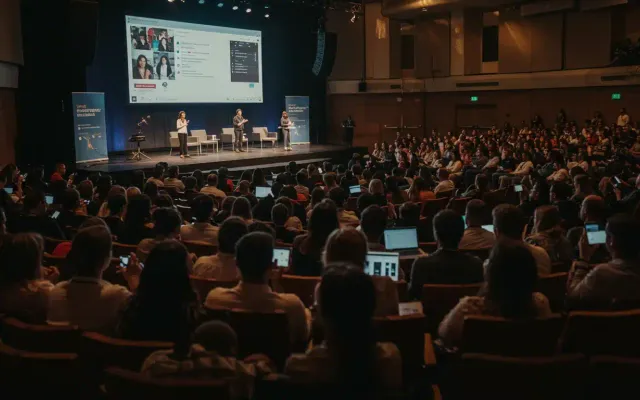
Best Audience Engagement Platform: 2026 Comparison
Read
Live Q&A for Webinars and Virtual Events
Read
Conference & Event Q&A That Actually Works
Read
404 Reasons to Use PresEngage for Audience Engagement
Read
89 Leads in 50 Minutes: A PresEngage Case Study
Read
Improve Presentation Skills with Audience Feedback
Read