
















89
leads · one 50-minute talk
At Boulder Startup Week, Ryan Shuken let his AI Co-Presenter field audience questions and share his founder workbook while he presented — and walked away with 89 contacts to follow up with.
Read the case studyTurn presentations
into conversations.
Give every talk an AI co-presenter. Your audience asks from any browser, no app, and gets answers grounded in your slides, in 100+ languages, live or while they watch your video. Ask the room back with live polls from your phone. By default, you capture every contact.
Patent-pending AI Co-Presenter
Upload your deck and go live in under 60 seconds — no app to download for you or your audience.
No credit card required · First talk free at any size · Frictionless for your audience guaranteed
Accelerated by world-class startup programs






Export your deck as a PDF from PowerPoint, Keynote or Google Slides. One file, one drag.
Processing begins the moment the upload lands — you watch it work, you don’t wait on it.
Your connect slide is live. Anyone can scan or tap and start asking, from any browser.
Under 60 seconds is upload to a live join link. Your AI keeps reading in the background, and answers get deeper as processing finishes — the product tells you when it’s done.
Our press releases ran on

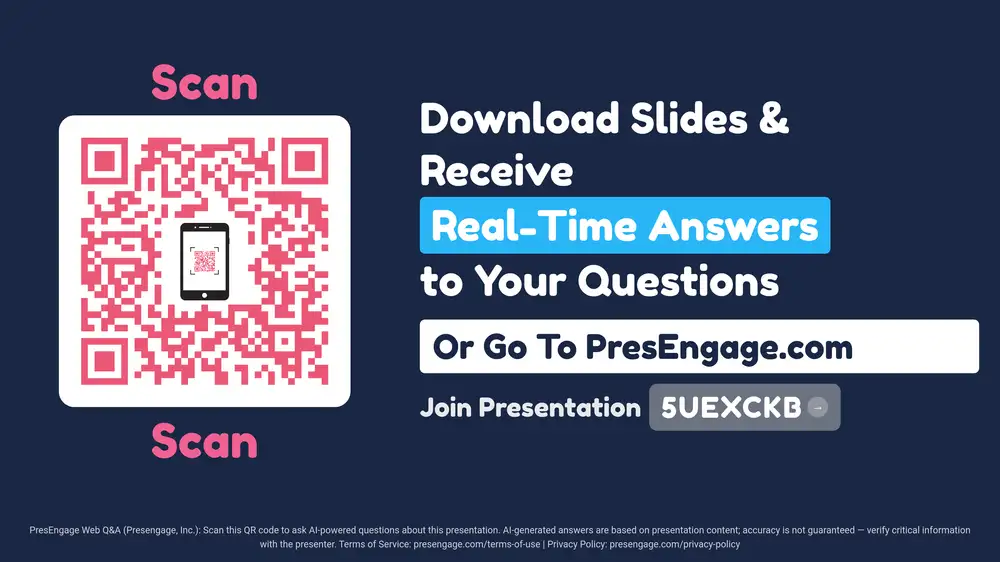
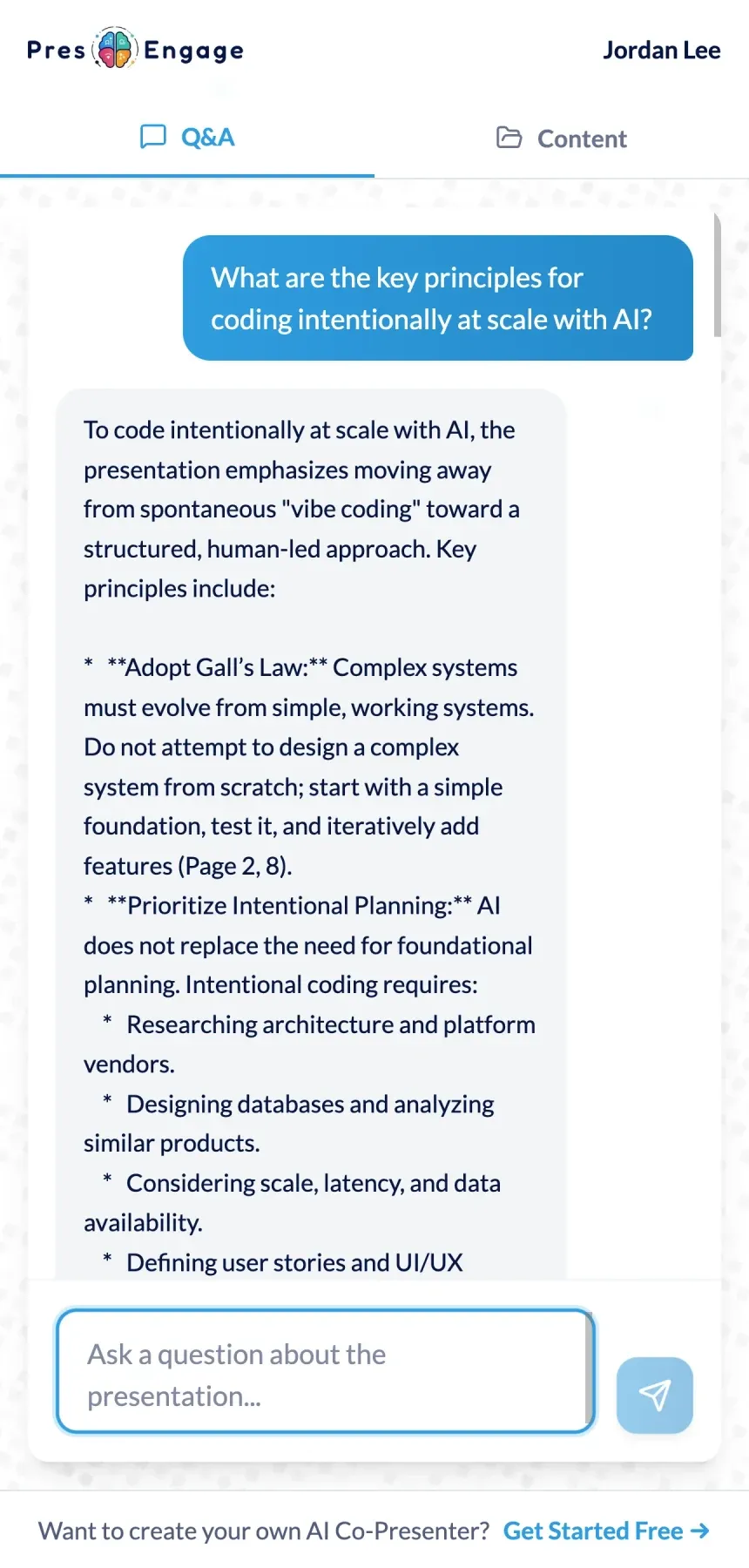
The phone up top was a simulation. This slide is live right now — a real PresEngage presentation trained on PresEngage itself. Scan it, ask any question, and get a real-time answer on your phone.
Try asking
Seen enough? Start Free — no credit card, then upload your own deck.
You were in the audience
That AI answering questions on the presenter's slides — you can have one too. Upload your own deck and your AI Co-Presenter is live in under 60 seconds. Your first talk is free at any size.
Joining a talk right now? Enter your code →
The silent-room problem
Every unasked question is a lead you never knew you had. PresEngage gives the whole room a private, friction-free way to engage — and, by default, turns that engagement into pipeline.
of surveyed US presenters report regular audience distraction (AhaSlides survey, n=1,048, vendor survey, directional).
→ Real-time Q&A keeps them in the zone.
of the time, marketers rated interactive content as converting moderately or very well, vs 36% for passive content (Demand Metric 2014, self-reported).
→ PresEngage adds live Q&A to your talk.
languages your audience can ask in — and you can read their new questions in any of 36.
Three steps to presentation success. No app to download -- audiences join from any browser.
Upload your deck as a PDF and add any supporting documents. Your AI Co-Presenter answers from that material, in 100+ languages.
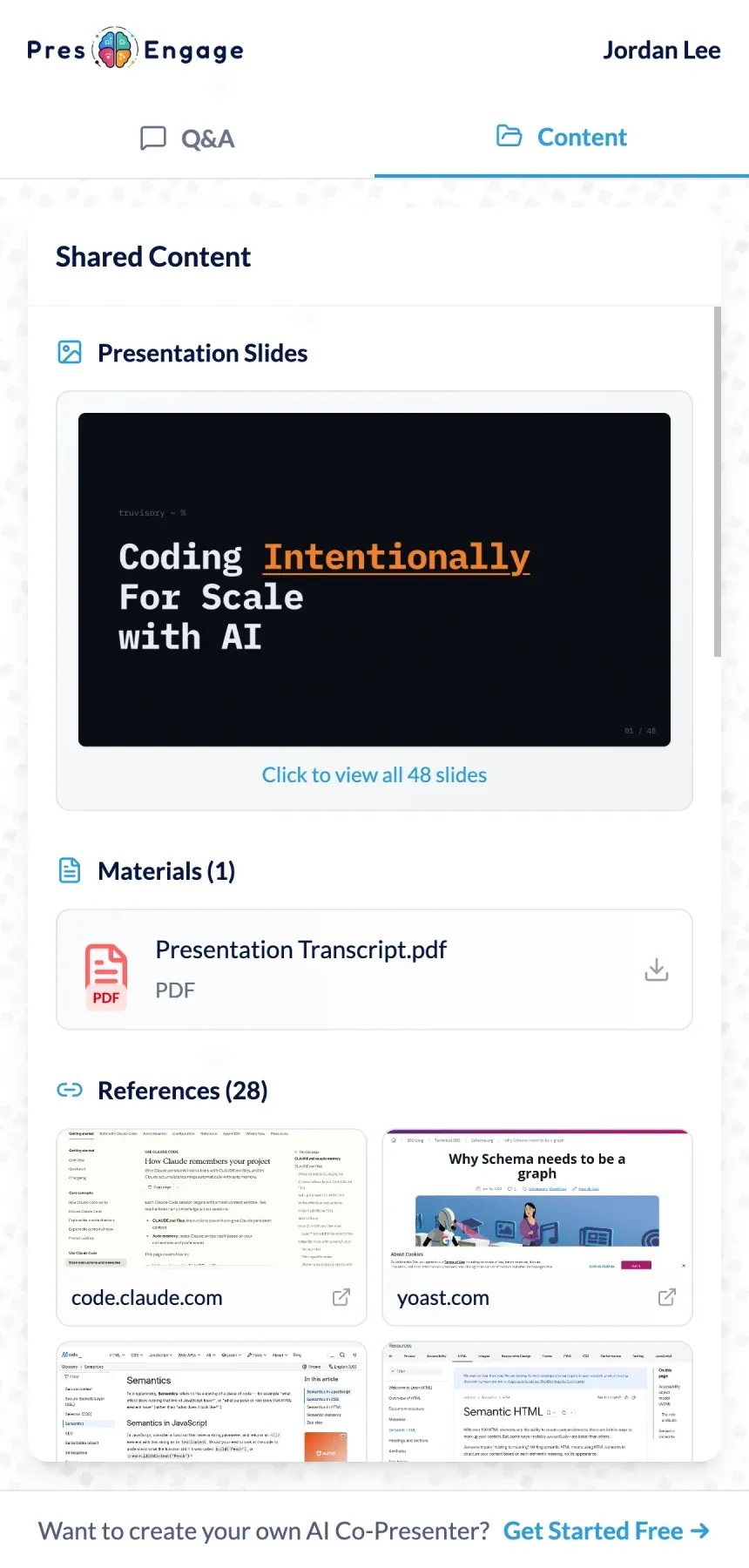
Audiences join instantly from any browser -- scan a QR code, tap a link, or use the Zoom or Google Meet side-panel -- and ask questions privately: nobody else in the room sees who asked, unless you feature a question in a meeting side-panel, which shows it with the asker’s name. AI responds instantly with answers grounded in your content, and hands you any question it can’t cover. No disruption to your flow, no microphones to manage. Your audience can watch your video on the Q&A page while they ask. The AI answers from your slides and documents, not from the video.
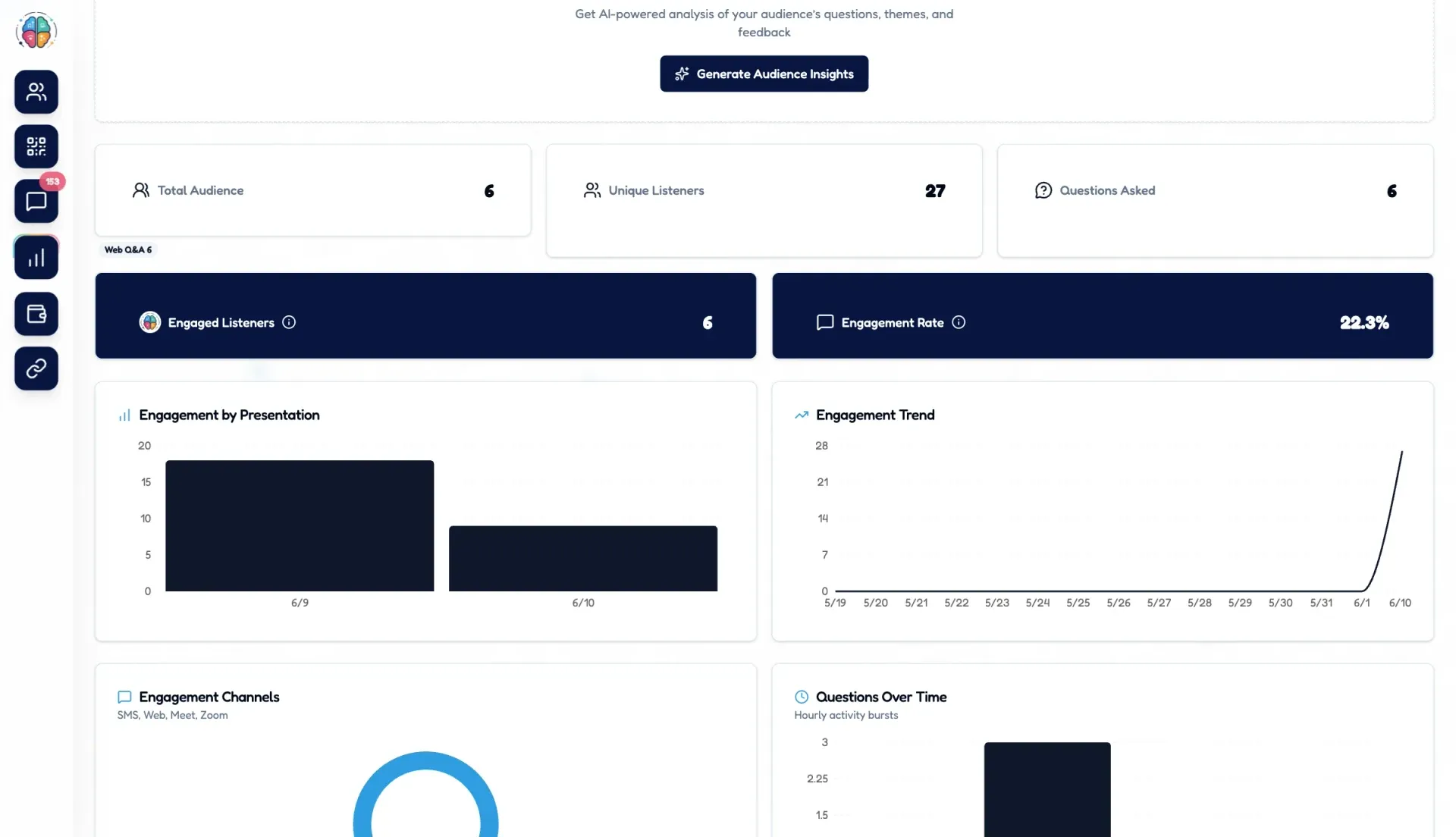
After your presentation, Smart Follow-Up automatically re-engages every participant who gave an email, by default, with your call-to-action. Audience Intelligence can show the key themes, top questions and sentiment from what your audience asked, once at least 5 questions are in.
14-day free trial of every presenter tool, then free for up to 25 audience members. No credit card required.
Before you go live
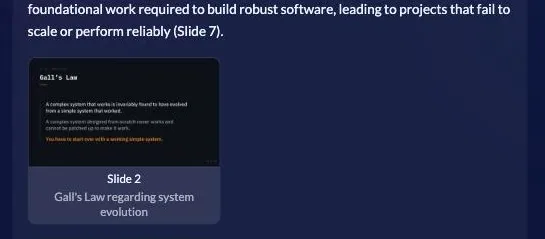
Open the Rehearse dialog on your own deck and ask your AI Co-Presenter the questions your audience will. Same answers, same slide citations, same screen they’ll see — so you find the gaps while there’s still time to fix them.
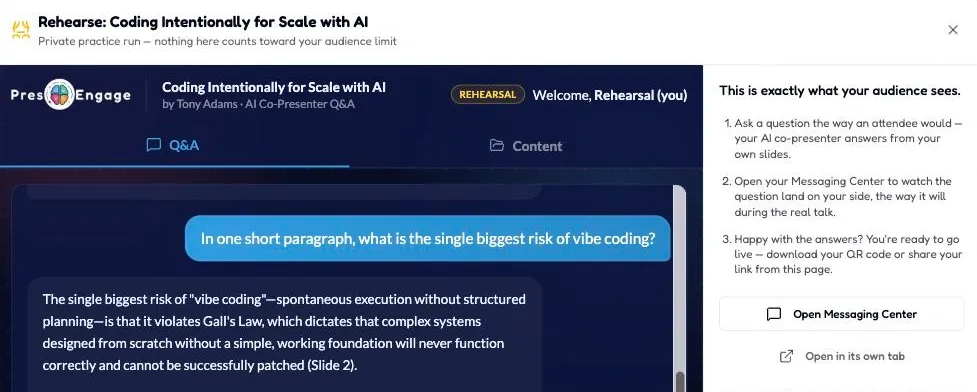
Ask a question the way an attendee would — your AI co-presenter answers from your own slides.
Open your Messaging Center to watch the question land on your side, the way it will during the real talk.
Happy with the answers? You're ready to go live — download your QR code or share your link from this page.
REHEARSALPrivate practice run — nothing here counts toward your audience limit
Rehearsal questions appear in your Messaging Center as “Rehearsal (you)” and are excluded from your audience analytics and free-tier count.
If you can share a join link for a deck, you can rehearse it.
No credit card · Free forever for up to 25 audience members · 14-day full-feature trial
Engagement is just step one
Even your quietest, most anxious attendees join in — privately and instantly.
Your AI answers from your own material — and you see every question and reply.
Every question is a buying signal. Curiosity becomes qualified interest, with names attached by default.
Smart Follow-Up sends the perfect message at the perfect moment.
Works everywhere you present
No plugins to wrangle. PresEngage rides on top of the tools you already use to present, meet, and pitch -- and an optional pay-per-use add-on reaches phones over SMS and WhatsApp when the room calls for it.
Traditional tools help during your presentation. PresEngage helps before, during, and after.
Your AI Co-Presenter answers audience questions instantly in 100+ languages. Audiences join from any browser -- no app to download.
Add a YouTube, Vimeo, Wistia or Cloudflare Stream link and your audience can watch your video on the Q&A page while they ask. The AI answers from your slides and documents, not from the video.
Explore presentation videoSend a multiple-choice or open-text live poll from your phone, one question at a time, and choose when your audience sees the results.
Explore live pollsYour audience asks in 100+ languages. You read their new questions in one of 36 languages -- choose it once, or per presentation.
Explore reading questions in your languageReach your audience via Web Q&A, Zoom and Google Meet side-panels, QR codes, or direct links -- every one of them included free; paid plans choose online, in-person, or everywhere. The optional pay-per-use SMS + WhatsApp Q&A add-on is available with the in-person plans.
Automatically re-engage every participant by default after your presentation, with personalized follow-ups and your call-to-action.
See the key themes, top questions and audience sentiment from what your audience asked, generated on request once at least 5 questions are in.
Share your contact card, links, and resources directly to attendees' phones. Make your materials always accessible. Available on any plan with in-person delivery -- including free.
Add live AI Q&A right inside your video calls. Attendees ask from the in-meeting side-panel and get instant answers from your content -- no app to download.
Quiet room? If an attendee hasn't engaged after a set time, PresEngage automatically nudges them with your custom prompt -- sparking that first question.
Add your call-to-action links -- book a demo, join the list, grab the resource -- and your AI Co-Presenter steers every attendee toward the next step.
Explore the platform
Real-time Q&A is the headline — here's everything that works alongside it, each with its own deep-dive page.
Add a YouTube, Vimeo, Wistia or Cloudflare Stream link and your audience can watch your video on the Q&A page while they ask. The AI answers from your slides and documents, not from the video.
Learn moreSend a multiple-choice or open-text question from your phone, one at a time, and show the results when you choose.
Learn moreOff by default, per presentation. Turn on Anonymous questions for a town hall or feedback session and people on your web Q&A page can ask without a name or email.
Learn moreYour audience asks in 100+ languages. You read their new questions in one of 36 languages.
Learn moreGive everyone in the room a way to ask from any browser — QR code, link, or meeting side-panel. No app to download.
Learn moreIn-person rooms ask by text or WhatsApp and the AI answers right in the thread. Pay-per-use, billed once per member whichever channel they use — available with the in-person plans.
Learn moreSee the key themes, top questions and sentiment from what your audience asked, on request, once at least 5 questions are in.
Learn moreRe-engage your audience after your talk with a follow-up email and your call-to-action. Download participants as a CSV for your CRM.
Learn morePush slides, links, and resources to your audience instantly — they open in any browser and stay accessible.
Learn moreDrop a pass into Apple & Google Wallet so your materials live one tap away, long after the talk. On any plan with in-person delivery — including free; your own branding comes with any paid plan.
Learn moreYour logo, name and colours on everything your audience sees — on every paid plan. The video host's own player branding stays.
Learn moreServe your Q&A page from your own address, such as ask.yourcompany.com. Available on Present Everywhere.
Learn moreThe flagship. See how your AI co-presenter answers live.
See it liveWhile he spoke, 89 people connected from their phones. PresEngage shared his workbook, captured every contact, and followed up with the room — automatically.
Ryan Shuken · Boulder Startup Week Read the case study
What published research says about engagement, with every source named.
average rise in exam scores (about 6%, 0.47 standard deviations) under active learning compared with traditional lecturing, across a meta-analysis of 225 studies
Source: Freeman et al., PNAS 2014
of marketers were able to attribute webinars to revenue
Source: ON24 2025 report, self-reported vendor figure
of marketers said webinars helped reduce cost-per-lead
Source: ON24 2025 report, self-reported vendor figure
A documented case — and what the same playbook looks like in a classroom or a conference hall.
leads · one 50-minute talk
At Boulder Startup Week, Ryan Shuken let his AI Co-Presenter field audience questions and share his founder workbook while he presented — and walked away with 89 contacts to follow up with.
Read the case studyStudents who would never raise a hand ask privately from any browser — turning an awkward silence into a real conversation.
Educators & trainersEvery session gets live Q&A that scales to any room, and, by default, Smart Follow-Up re-engages each attendee with the organizer’s call-to-action afterward.
Event organizersFrom boardrooms to classrooms, PresEngage transforms every presentation.
Surface objections in real time. Prospects self-educate through your AI Co-Presenter while you focus on your pitch.
ExploreSilent audiences become active participants. Students who'd never raise a hand will ask privately from any browser -- classmates never see who asked.
ExploreAI handles common questions instantly while you present uninterrupted. Smart Follow-Up drives your call-to-action.
ExploreElevate every session with live Q&A that works for any audience size. Capture insights across all conference sessions.
ExploreEngage donors and stakeholders with presentations that drive action and follow up to convert interest into support.
ExploreLet buyers and sellers ask questions about listings from any browser and get instant, knowledgeable answers from your AI Co-Presenter.
ExploreFrom the guide library
Hundreds of free, practical guides on public speaking, audience engagement, icebreakers, and presentation craft — organized into topic hubs you can work straight through.
An honest, four-way breakdown of the tools that field questions and turn a quiet room into pipeline.
Read the guideThe word-count math (plus a calculator) so you know exactly how long your talk will run.
Read the guideInteractive versus passive content, active learning and the attention-cliff myth, each figure traced to its source.
Read the guideProven formats that turn a one-way deck into a two-way conversation from the first slide.
Read the guideCompared on AI Q&A, lead capture, free tiers, and price — including the one whose AI actually answers your audience.
Read the guideWhat to look for in a live Q&A tool — and how AI answers the room’s questions from your own slides, live.
Read the guideDazzle your audience with real-time Q&A powered by your AI co-presenter — and, by default, never let a lead leave the room unnoticed again.
Upload your deck and go live in under 60 seconds — no app to download for you or your audience.
No credit card required · 14-day free trial · 100% risk-free
Attending a presentation? Join here.