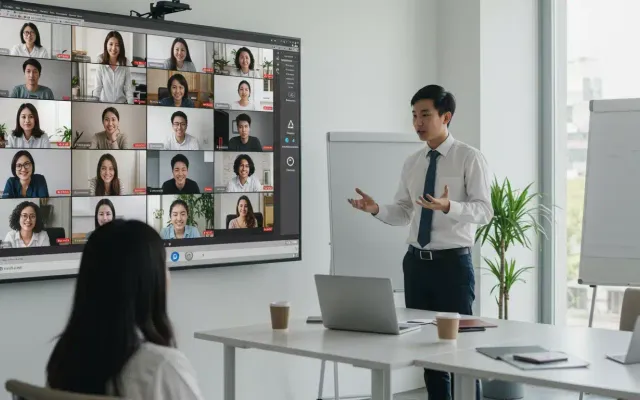

Live polling software lets a presenter ask a question and collect the audience’s answers in real time, with results appearing on screen as people respond from their phones — no app required. It’s the simplest way to turn a passive audience into an active one, and the best 2026 tools go further by answering audience questions with AI and capturing respondents as leads.
This is part of our audience engagement software cluster. For the ranked tool shortlist, see the best audience engagement software in 2026.
What live polling software does
- Collects responses in real time from the audience’s own phones.
- Displays results live — bars fill, word clouds form, rankings shuffle as votes land.
- Works app-free — attendees join by web link or QR code.
- Reports afterward — participation and results, exportable to Excel or PDF.
The poll types that actually work
Choosing the right poll type is most of the battle:
- Multiple choice — fast pulse checks and decisions. The workhorse.
- Rating / scale — measure sentiment, confidence, or satisfaction (e.g., 1–5).
- Ranking — force prioritization when everything “feels important.”
- Word cloud — collect one-word open responses; the live visual is a crowd-pleaser and a great icebreaker.
- Open text — gather qualitative, longer responses you can read aloud or revisit.
Pick based on the outcome you want: a decision (multiple choice), a temperature read (rating), a priority (ranking), a mood (word cloud), or detail (open text).
How to run a live poll in a presentation
The mechanics are quick: create the poll, drop the join code or QR on a slide, launch it when you reach that moment, and let results build live before you discuss them. The art is in placement — open with a poll to wake the room, use one mid-talk to check understanding, and close with one to drive a decision. For a step-by-step walkthrough, see how to run a live poll in a presentation.
What separates a modern polling tool
Live polls are table stakes now. Three capabilities distinguish 2026 platforms:
- AI that answers your audience. Beyond collecting votes, an AI co-presenter answers attendees’ questions instantly from your own slides and documents, in 100+ languages.
- Lead capture and follow-up. Most polling tools keep responses anonymous and stop there. A few capture respondents as leads and follow up automatically.
- App-free joining. A web link and a QR code keep participation high; downloads kill it.
What to look for
- App-free joining (web link or QR code).
- The poll types you actually need — don’t pay for 20 if you’ll use 4.
- Anonymous mode for honest input.
- Free-tier audience cap matched to your real room size.
- Whether it answers questions or only collects them.
- Lead capture if you present to prospects, donors, or recruits.
- Integrations with PowerPoint, Google Slides, Keynote, and your meeting platform.
For a side-by-side ranking on these dimensions, see the best audience engagement software in 2026.
Where PresEngage® fits
PresEngage is the Q&A-led option in this category: instead of collecting votes, its AI Co-Presenter answers audience questions live from your own content in 100+ languages, and it captures attendees as leads with automated follow-up. If the hard part of your session is the questions rather than the votes, it’s the tool to look at. There’s a free plan, and paid plans start at $29/month.
FAQ
What is live polling software? Software that lets a presenter ask a question and collect the audience’s answers in real time, displaying results on screen as people respond — usually from their phones, with no app to install.
What’s the best free live polling app? Free tiers vary by participant cap and question limits. PresEngage offers a free plan that includes its AI Co-Presenter; see the full comparison for caps across tools.
Can the audience vote anonymously? Yes — most live polling tools support anonymous responses, as does PresEngage for its live Q&A, which increases honest participation.
How many people can join a live poll? It depends on the tool and plan; free tiers range from about 10 to 1,000 participants. Match the cap to your real audience size before paying.
Wake the room up. Run your first live Q&A free with PresEngage.
Don't take our word for it — be the audience.
This is a real PresEngage presentation, trained on PresEngage itself. Ask it anything and get a live, AI-generated answer on your device — no signup.
You Finish. Your Presentation Doesn't.
Free forever for up to 25 audience members — start with 14 days of every feature.
No credit card · Free forever for up to 25 audience members · 14-day full-feature trial
Keep exploring