
Custom domain for audience Q&A
The Address Bar Says Your Company
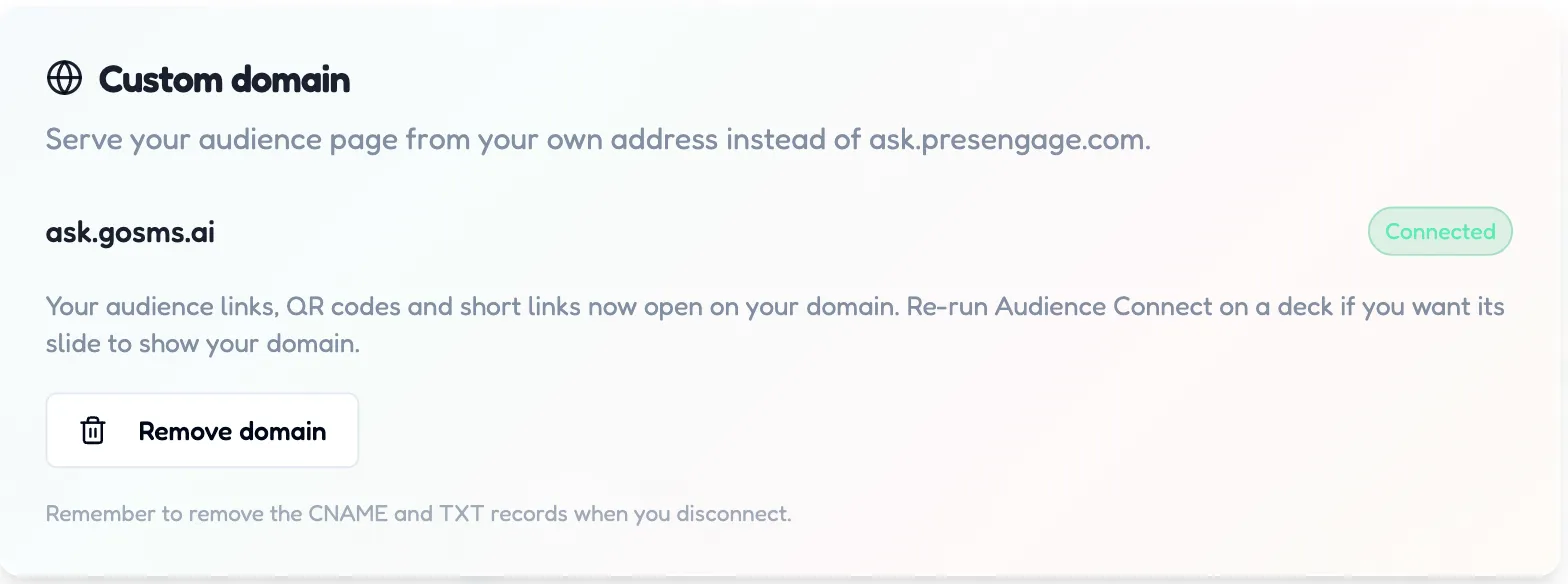
By default your audience joins at ask.presengage.com. On Present Everywhere, connect a subdomain of your own -- ask.yourcompany.com -- and the Q&A page, registration screen, QR codes, short links, wallet passes and follow-up email links all open on your domain, with your branding and a certificate for your exact hostname.
No credit card · Free forever for up to 25 audience members · 14-day full-feature trial
What You Get
Everything Follows the Domain
Not just the Q&A page: registration, shared materials, QR codes, go.presengage.com short links (they keep the short address but land on your domain), wallet passes, and recap + Smart Follow-Up email links.
HTTPS Handled for You
PresEngage issues and renews the certificate for your exact subdomain automatically. You create the DNS records once; renewal never touches you again.
Guided DNS, Copy-Button Setup
The Custom domain card breaks each record into the exact fields your DNS provider asks for, with a copy button on every value, live status checks, and an email when the domain goes live.
Simple Setup, Powerful Results
- 1
Turn On Branding, Enter Your Subdomain
Custom domains require your branding to be on first. Then type a subdomain -- ask.yourcompany.com -- in the Custom domain card and click Connect domain.
- 2
Create Three DNS Records
A TXT record proves the domain is yours, a CNAME to connect.presengage.com routes the traffic, and a second CNAME keeps certificate renewal automatic. Every value has a copy button.
- 3
Go Live
PresEngage re-checks every few minutes, walks the card through Verify ownership, Issue certificate and Go live, and emails you when it connects -- usually within minutes of the records appearing. Re-run Audience Connect on a deck if you want its printed slide to show the new address.
Your branding, on your address
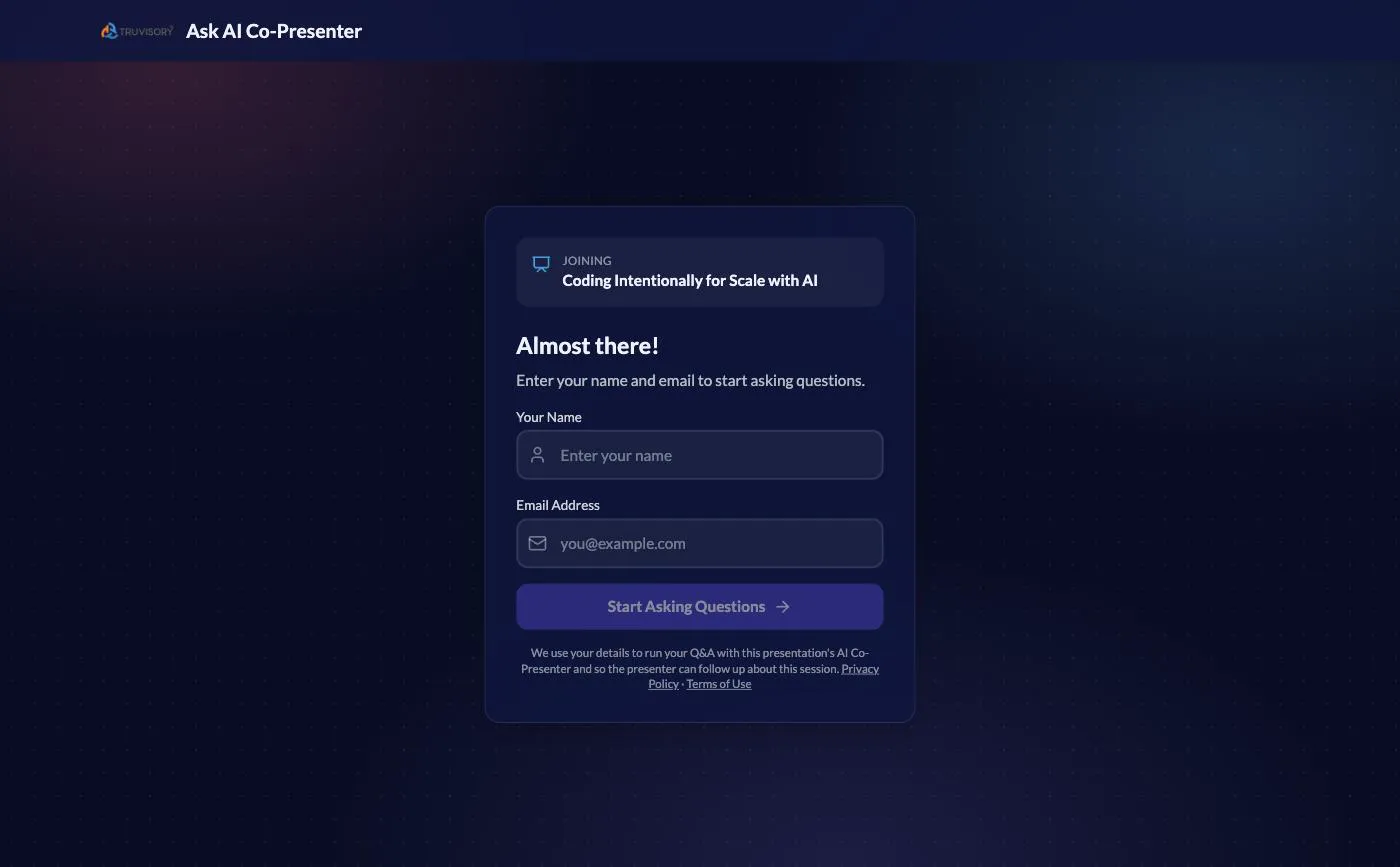
Once the Custom domain card's chip reads Connected, every new audience link, QR code and short link opens on your address -- and the page that loads there carries your logo and name, which is why branding comes first.

Even the slide prints your address
Re-run Audience Connect after the domain connects and the generated slide picks it up: the QR codes resolve to your subdomain and the printed fallback line reads your address, not ours. The room never sees a PresEngage URL -- which is the point of pairing a custom domain with white-label branding.
Frequently Asked Questions
Which plans include a custom domain?
Present Everywhere ($49/month, or its annual version), and the legacy Master Presenter plans that map to it. Present Online and Present In-Person include white-label branding but not the domain -- the card shows a locked notice with the upgrade. One domain is connected per account at a time.
Can I use my bare domain, like yourcompany.com?
No -- it must be a subdomain, like ask.yourcompany.com or qa.yourcompany.com. Top-level domains are not supported yet.
My DNS is on Cloudflare -- anything special?
Yes, and it is the opposite of the usual advice: set the routing CNAME -- the one pointing at connect.presengage.com -- to Proxied (the orange cloud), not "DNS only". Proxied is what hands your hostname to PresEngage at Cloudflare's edge; grey-clouded, your audience gets a certificate error instead of your page. The certificate renewal record is the opposite case: leave that second CNAME (on _acme-challenge) DNS only -- validation records are never proxied, and proxying it breaks automatic certificate renewal. On any other DNS provider there is no proxy setting; just leave URL forwarding and CDN features off for both CNAMEs.
What behaves differently on my domain versus ask.presengage.com?
Three things, all deliberate. Google one-tap sign-in is not offered on a custom domain, so audience members register with their name and email instead -- the Google button belongs to the PresEngage origin and cannot follow you across. PresEngage's own analytics loader does not run on your domain, so audience visits there are not measured by us. And HTTPS becomes mandatory: PresEngage sets a one-year HTTPS-only policy (HSTS, with includeSubDomains) on your hostname, browsers hold it for a year, and it survives disconnecting the domain -- so pick a subdomain you are happy to keep on HTTPS. Everything else -- Q&A, registration, shared materials, recap and follow-up email links -- is identical.
Can I embed the Q&A page in my own website instead?
No -- embedding is not supported, and it is not planned. The Q&A page collects audience names and emails and holds a live conversation, so it refuses framing by any other site as a security measure. A custom domain is the supported way to make the experience yours: same page, your address, your branding.
What happens if I disconnect the domain?
Your audience links fall back to ask.presengage.com immediately -- nothing breaks and no data is lost. One policy outlives the domain: browsers that saw it keep requiring HTTPS on that subdomain for up to a year, because the HSTS policy survives the disconnect. Remember to remove the CNAME and TXT records at your DNS provider, and reprint any slide whose QR code shows the old address.
Run your next Q&A on your own domain
Start free, then connect your subdomain on Present Everywhere -- live in minutes with guided DNS.
No credit card · Free forever for up to 25 audience members · 14-day full-feature trial