
White-label branding for audience Q&A
Your Audience Sees Your Brand, Not Ours
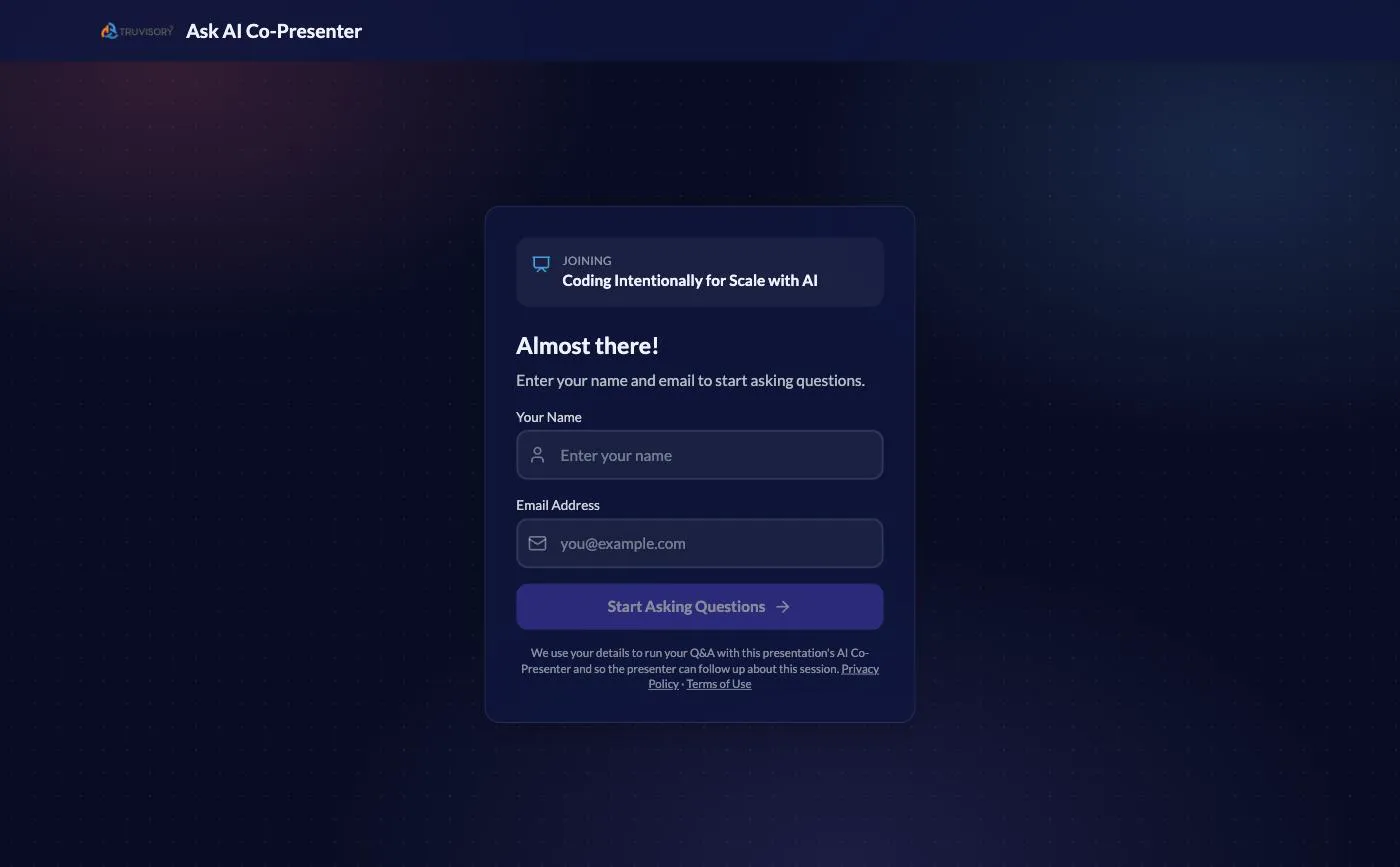
Upload a logo, set your display name and accent colour, and the screens your audience opens carry your brand: the Q&A page, the registration screen, the body and colours of follow-up emails, and -- on the in-person plans -- the colours and name on Digital Wallet passes. Flip one more switch and PresEngage sign-up prompts disappear from your audience's screens entirely. Available on every paid plan, legacy plans included -- no enterprise tier, no add-on fee.
No credit card · Free forever for up to 25 audience members · 14-day full-feature trial
What You Get
Logo, Name & Colour Everywhere
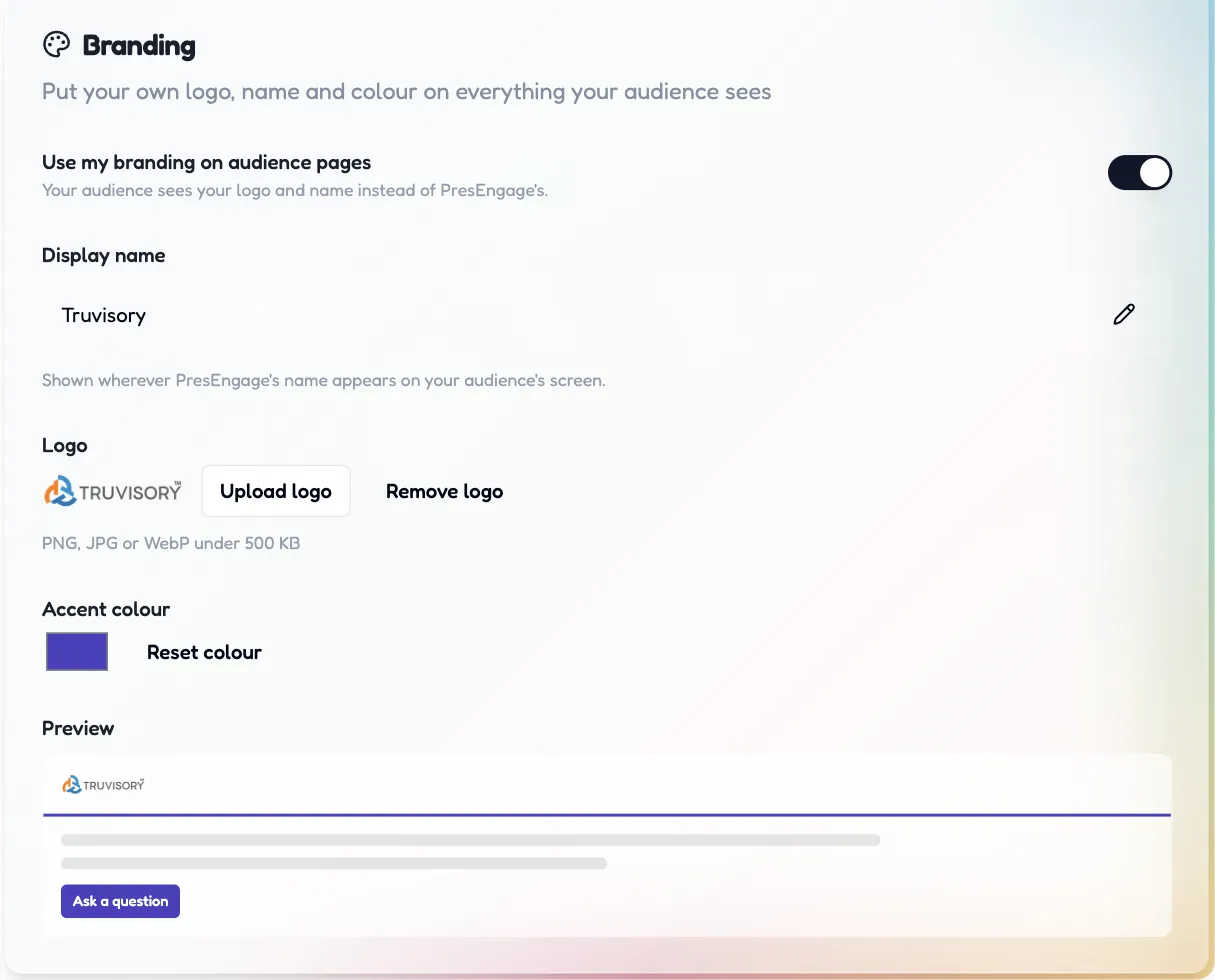
One Branding card in Profile Settings sets your logo, display name and accent colour across your audience pages -- with a live preview before you save.
Prompts Off. Really Off.
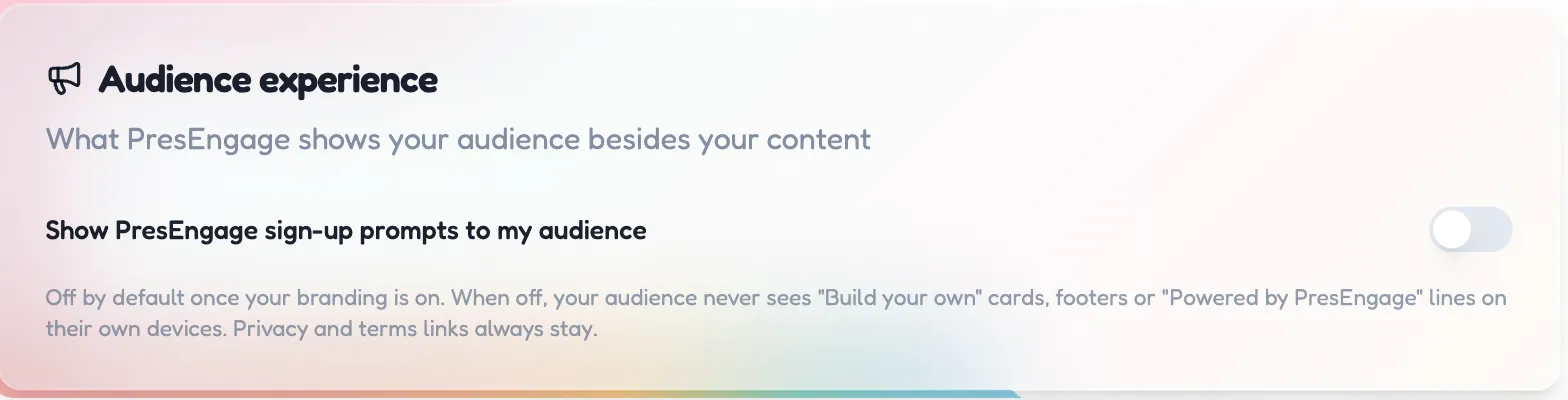
A dedicated switch removes PresEngage sign-up prompts: no "Build your own" cards, no sign-up footers, no "Powered by PresEngage" lines on your audience's devices.
On Every Paid Plan
White-label is not an enterprise upsell. Present Online, Present In-Person and Present Everywhere all include it -- from $29/month -- and so does every legacy plan.
Simple Setup, Powerful Results
- 1
Turn On Your Branding
In Profile Settings, switch on "Use my branding on audience pages" and upload your logo (PNG, JPG or WebP). Set your display name and accent colour.
- 2
Switch the Prompts Off
The Audience experience card controls what PresEngage shows your audience besides your content. It defaults off once your branding is on.
- 3
Present
Your Q&A page, registration screen and follow-up emails now carry your brand -- as do the colours and name on Digital Wallet passes if you are on an in-person plan. Nothing to configure per presentation.
What your audience sees
The registration and Q&A pages show your logo and display name where PresEngage's would be, tinted with your accent colour. Follow-up and recap emails follow the same branding, and Digital Wallet passes pick up your colours and name on the plans that include them. Pair it with a custom domain on Present Everywhere and even the address bar is yours.
One switch turns our acquisition surfaces off
Branding replaces our logo with yours. The Audience experience switch goes further: it stops PresEngage marketing your product to your audience at all -- no 'Build your own' cards, no branded footers, no 'Powered by PresEngage' lines. Privacy and terms links stay, because your audience keeps its legal disclosures whoever's logo is on the page.
Frequently Asked Questions
Which plans include white-label branding?
Every paid plan -- Present Online ($29/month), Present In-Person ($29/month) and Present Everywhere ($49/month), monthly or annual -- plus every legacy plan. Free and trial accounts show PresEngage branding; your branding switches on the moment you subscribe.
What never changes, even with branding on?
Privacy and terms links always remain on audience pages -- your audience keeps its legal disclosures no matter whose logo is on the page. Messaging compliance stays PresEngage's too: the Audience Connect slide's opt-in fine print names PresEngage, and each channel's automatic footer cannot be edited -- Reply STOP opts out on both channels, and text-message threads also carry Reply HELP. The shared messaging number stays PresEngage's, short links stay on go.presengage.com, and follow-up and recap emails send from hello@presengage.com with a display name like "Your Name via PresEngage" -- the body, header and colours are yours; the address is ours.
Does white-label include my own domain?
The domain is its own feature: on Present Everywhere you can serve the audience page from a subdomain of yours, like ask.yourcompany.com. Branding is a prerequisite -- PresEngage will not serve a PresEngage-branded page from your company's domain. See the Custom Domain page for the DNS walkthrough.
Do Digital Wallet passes carry my branding too?
Yes on both, once you have uploaded a square brand icon -- it becomes the icon on your Google Wallet and Apple Wallet passes alike, and the colours, organisation name, presentation title and saved filename are yours. Until you upload one, Google Wallet falls back to your wide logo while the Apple pass keeps PresEngage's icon -- Apple accepts only PNG for pass images, and the pass cannot use your wide logo. One thing cannot change: the Apple pass is issued under PresEngage's pass certificate, which an audience member can inspect. And wallet passes belong to the in-person channel -- among the paid plans they come with Present In-Person and Present Everywhere, so a Present Online subscriber has no passes to brand.
What image formats work for the logo?
PNG, JPG or WebP under 500 KB. The Branding card shows a live preview of your audience header before you save, and you can remove or replace the logo at any time. The optional square brand icon is separate: PNG only, exactly 1:1, between 48 x 48 and 1024 x 1024 pixels, under 500 KB.
Put your brand on your next talk
Start free, upload your content, and see your branding live on the audience page the moment you upgrade.
No credit card · Free forever for up to 25 audience members · 14-day full-feature trial