
 +PresEngage
WhatsApp Q&A for presentations
Reach the Audience SMS Can't — Live AI Q&A on WhatsApp
Outside the US and Canada, your audience lives on WhatsApp -- and SMS simply doesn't reach them. PresEngage® puts a WhatsApp QR code on your slide: one scan opens a chat with your AI Co-Presenter, pre-filled and ready to send. Questions answered in 100+ languages, at the same per-member rate as texting.
No credit card · Free forever for up to 25 audience members · 14-day full-feature trial
Why Add PresEngage to WhatsApp?
Reach Where SMS Cannot
Texting covers US and Canadian phones. WhatsApp covers the rest of the planet -- 2 billion+ users, most of them beyond the reach of a US text message.
AI Answers in the Chat
Your AI Co-Presenter answers the WhatsApp questions your uploaded content covers, with slide references, in the attendee's own language, and hands you the rest.
One Scan to Join
The WhatsApp QR code opens a chat with the join message pre-filled. No number to type, no code to remember -- attendees press send.
Names, Not Numbers
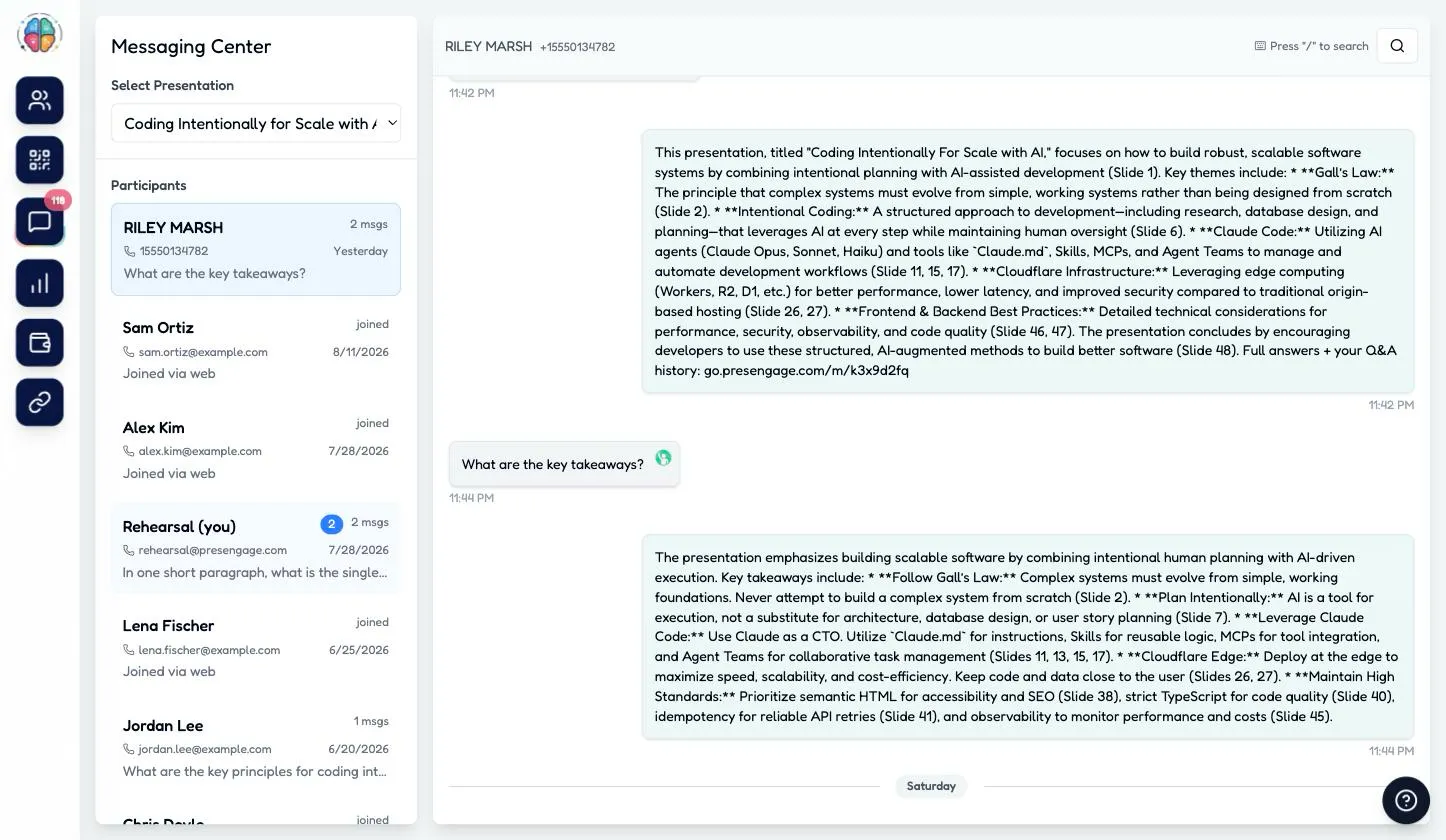
WhatsApp passes along each member's profile display name, so your Messaging Center usually shows who asked instead of "Private". Caller-ID lookups only work for US numbers -- on WhatsApp, the name arrives with the message, anywhere in the world.
Same Meter as SMS
WhatsApp is a channel of the SMS add-on, not a second product. Same rate, and a member is billed once per presentation whichever channel they use.
One Command Center
WhatsApp threads sit channel-tagged beside texting and web questions in the Messaging Center and feed the same Audience Intelligence reports.
How It Works with WhatsApp
- 1
Choose Where Your Audience Is
In the wizard, pick "US & Canada" to print a texting code and a WhatsApp code, or "Everywhere else" for a single WhatsApp code -- so nobody in your room scans a dead end.
- 2
Show the Slide
Attendees scan the WhatsApp code; WhatsApp opens with your presentation's join message already written. They send it and get your welcome message back.
- 3
Q&A in the Thread
Questions and AI answers flow in the same WhatsApp conversation -- before, during, and after the talk -- while you watch live in the Messaging Center.
Built for International Rooms
A conference in Berlin, a webinar for São Paulo, a workshop in Manila -- the phones in those rooms have WhatsApp installed and no US texting plan.
- The only messaging path to audiences outside the US and Canada
- Messages are delivered over the internet by Meta, so no carrier plan is involved
- Attendees keep the whole Q&A thread on their phone after the talk
- Opt-in on the first message, and Reply STOP opts out at any time
- Same pay-per-use rate as texting, billed once per member per presentation
- Available with Present In-Person ($0.50/member) and Present Everywhere ($0.35/member)
WhatsApp gets an international room into the chat; your AI Co-Presenter then answers in each person's own language, from your material, and hands you anything it can't cover. See how that works across a whole event in multilingual Q&A for global audiences.
Inside WhatsApp Q&A
Real production screenshots, from the slide your room scans to your Messaging Center.
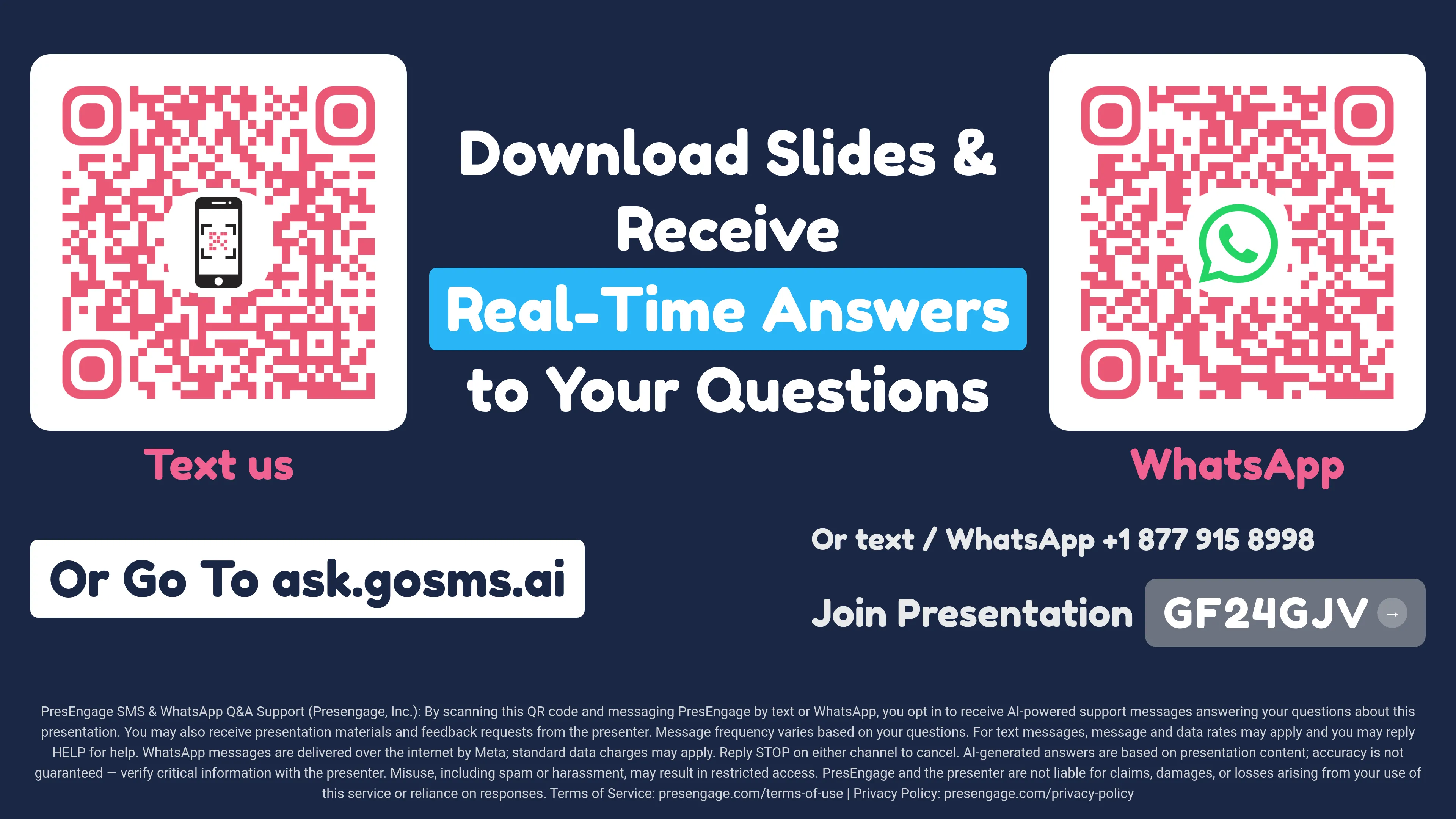
A US & Canada presentation prints both codes; international presentations print WhatsApp only.
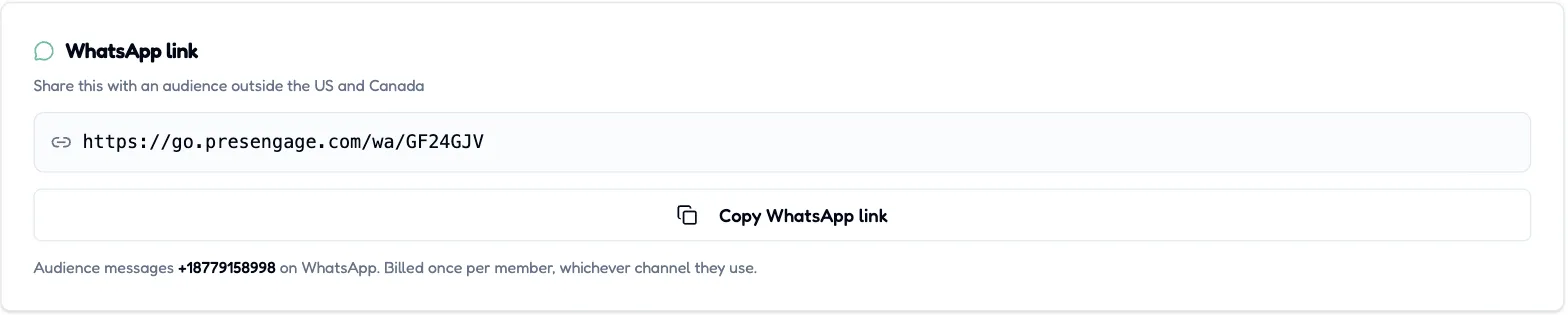
With the SMS + WhatsApp add-on enabled (Present In-Person or Present Everywhere), every presentation gets a shareable WhatsApp join link -- and a member is billed once, whichever channel they use.

The WhatsApp code opens a chat with your join message already written.
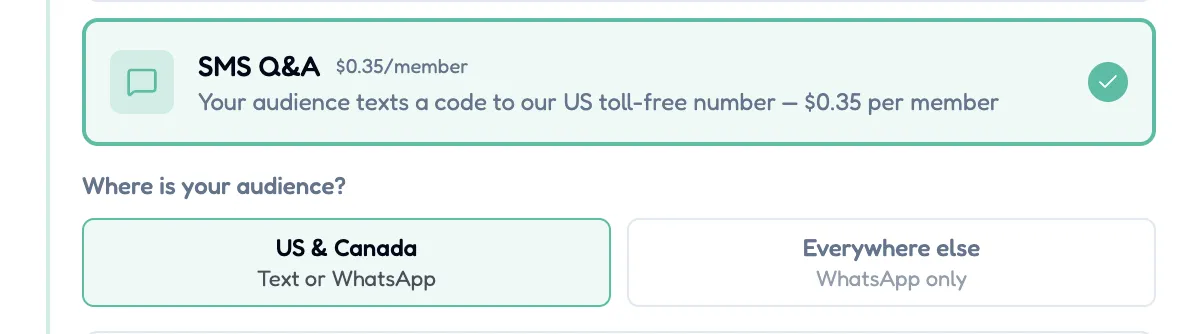
Tell the wizard where your audience is -- it prints the right codes.
WhatsApp Q&A is a channel of the SMS + WhatsApp add-on, available with the in-person plans and billed once per unique audience member per presentation -- never per message, never per channel. Attendees message the same shared PresEngage number they would text, disambiguated by your presentation's code. One honest limit: Smart Follow-Up messages are not sent over WhatsApp, because WhatsApp only permits a free-form message within 24 hours of a member's last one -- those members are skipped rather than messaged late, and follow-up email is unaffected. Q&A itself is identical on both channels.
Upgrade Your WhatsApp Experience
Start your free 14-day trial. No credit card required.
No credit card · Free forever for up to 25 audience members · 14-day full-feature trial