
 +PresEngage
SMS Q&A for live presentations
No App. No WiFi. No Browser. Real‑Time AI Q&A Over Text Message
Some rooms have dead WiFi, locked-down phones, or audiences who will never install anything. PresEngage® lets them ask questions the way they already message -- a text to a shared number with your presentation's code, answered instantly by your AI Co-Presenter. Available with the in-person plans, pay-per-use, no monthly minimum.
No credit card · Free forever for up to 25 audience members · 14-day full-feature trial
Why Add PresEngage to SMS?
Works on Every Phone
Texting needs no smartphone, no app store, no data plan. If a phone can text, it can ask your AI Co-Presenter a question.
AI Answers From Your Content
Your AI Co-Presenter answers the texts your uploaded presentation covers -- with slide references -- in seconds, and hands you the rest, while you keep presenting.
WhatsApp Ships With It
SMS reaches US and Canadian phones; WhatsApp reaches everywhere else. Both channels ship together on the same slide, and a member is billed once whichever they use.
Pay-Per-Use, No Minimum
Billed once per unique audience member per presentation -- not per message. Unlimited questions per member, and if nobody texts, you pay nothing.
Nothing to Set Up
Attendees message a shared PresEngage number with your presentation code. No number to buy, no carrier registration, no waiting.
Every Thread in One Place
Texting conversations land in your Messaging Center next to web and WhatsApp questions, and feed the same Audience Intelligence reports.
How It Works with SMS
- 1
Enable SMS Q&A in the Wizard
Pick SMS Q&A as a presenter tool and tell PresEngage where your audience is. "US & Canada" prints a texting code and a WhatsApp code on your slide.
- 2
Show the Slide
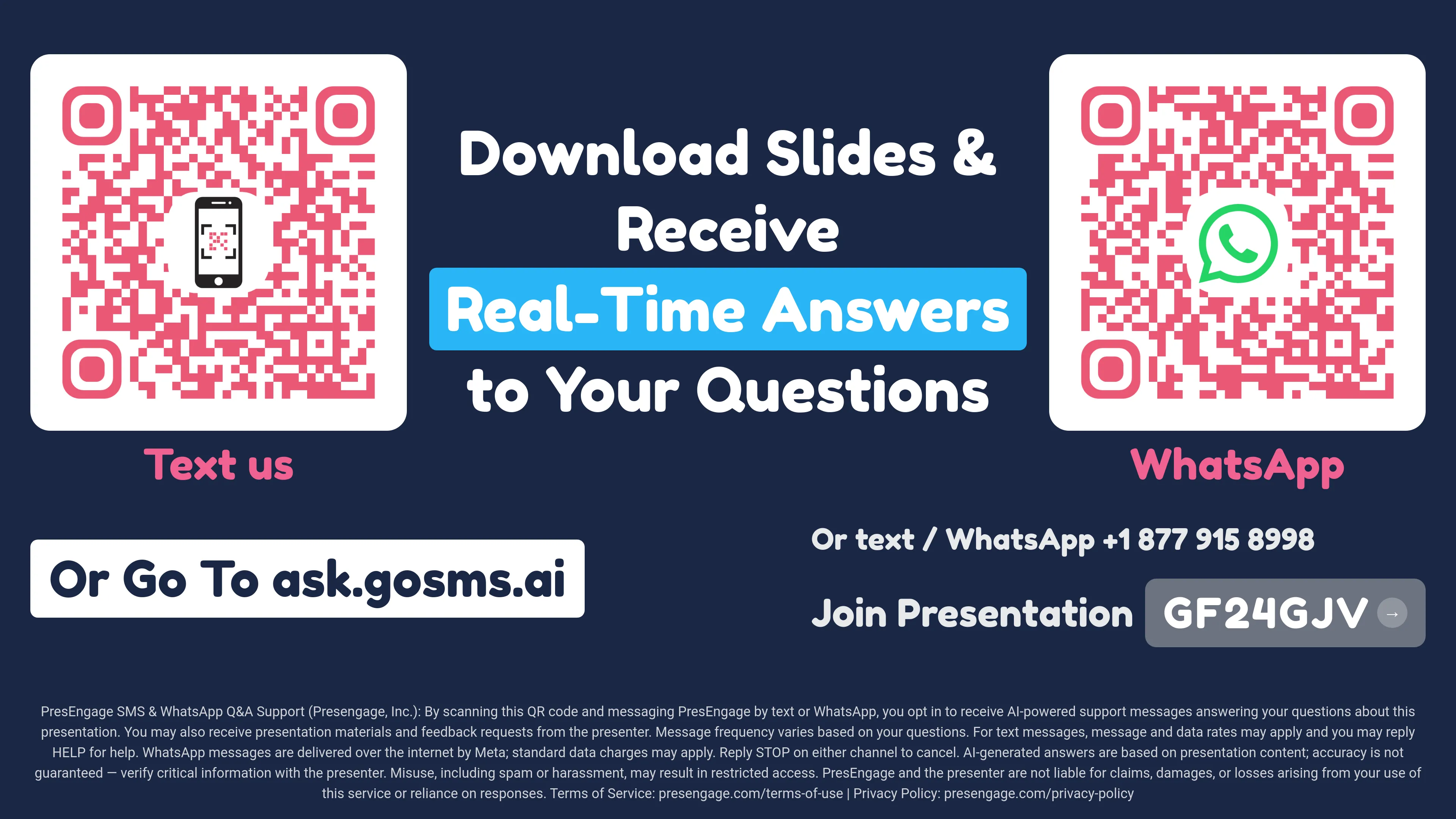
The generated Audience Connect slide carries the QR codes. Scanning the "Text us" code opens the messaging app with the join text pre-filled -- attendees just press send.
- 3
Questions Answered by Text
Your AI Co-Presenter replies in the same thread, in the attendee's language, before, during, and after the talk. You watch every conversation live in the Messaging Center.
Built for Rooms Where the Browser Loses
Web Q&A is always included and always the standard way audiences join. Texting is there for the rooms where a browser is the wrong ask.
- Conference WiFi dies exactly when your audience needs it -- a text message uses none
- Older audiences and locked-down corporate phones text just fine
- The join message is pre-filled by the QR code -- attendees press send, nothing to type
- Smart Follow-Up re-engages texting members with your call-to-action after the talk
- Charged once per member per presentation, with permanent dedupe -- never per message
- Available with Present In-Person ($0.50/member) and Present Everywhere ($0.35/member)
Inside SMS Q&A
Real production screenshots -- the slide your room sees, and the command center you see.
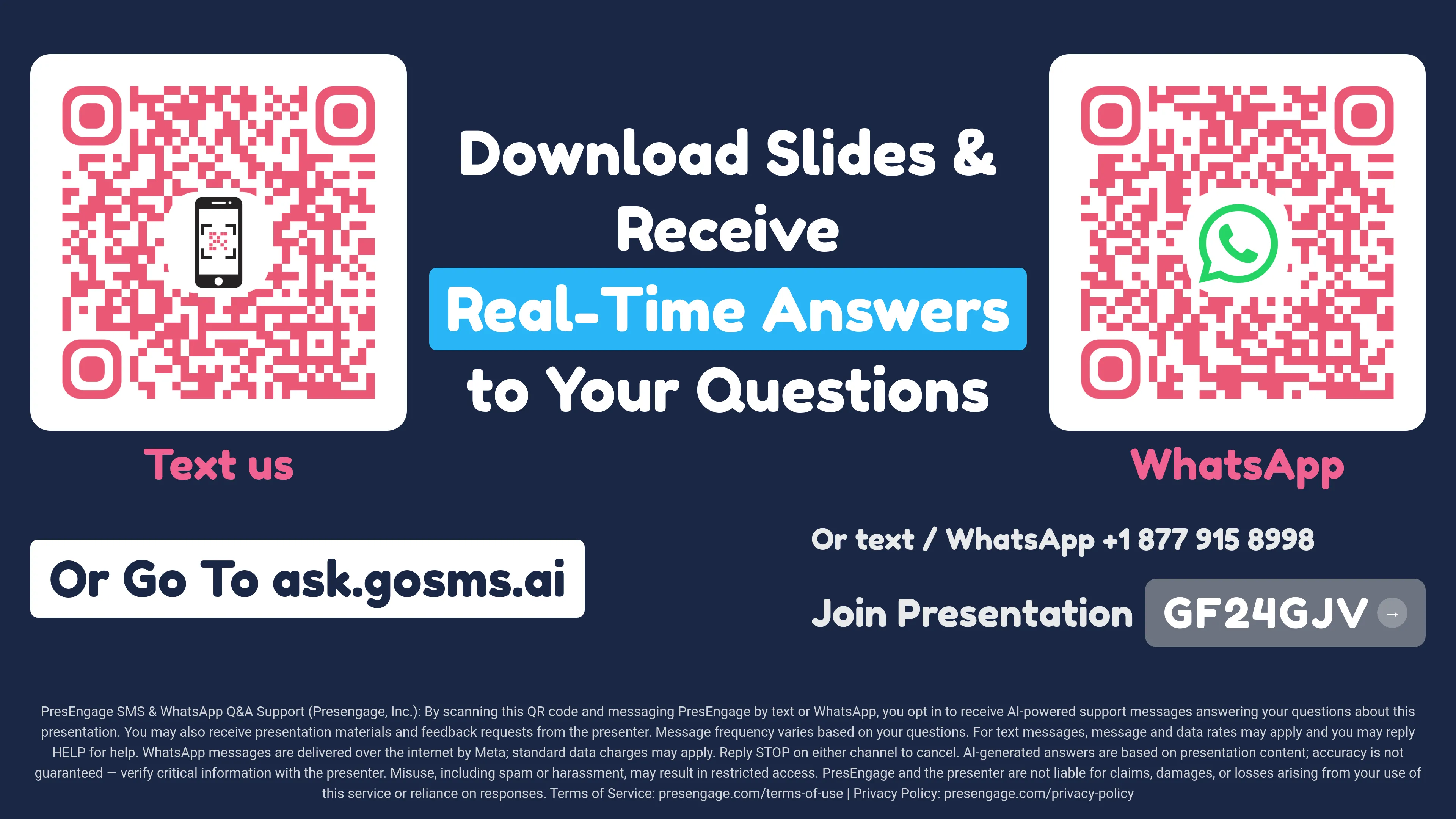
One generated slide, two QR codes: attendees pick texting or WhatsApp by picking a code.
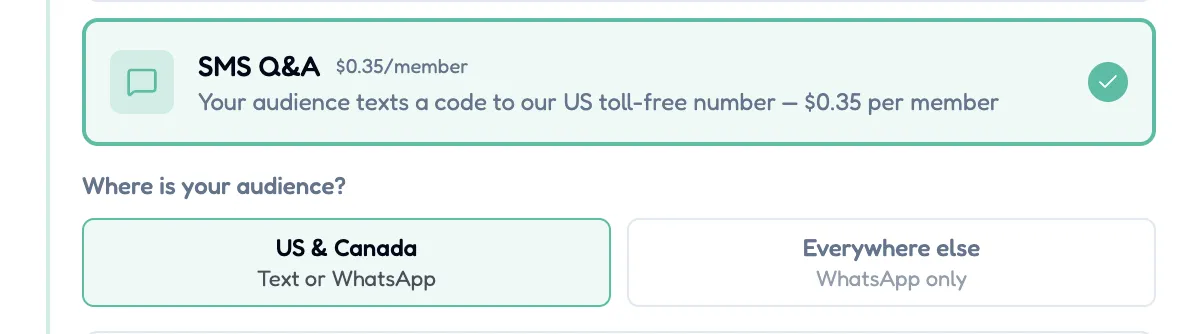
Tell the wizard where your audience is -- it prints the right codes.
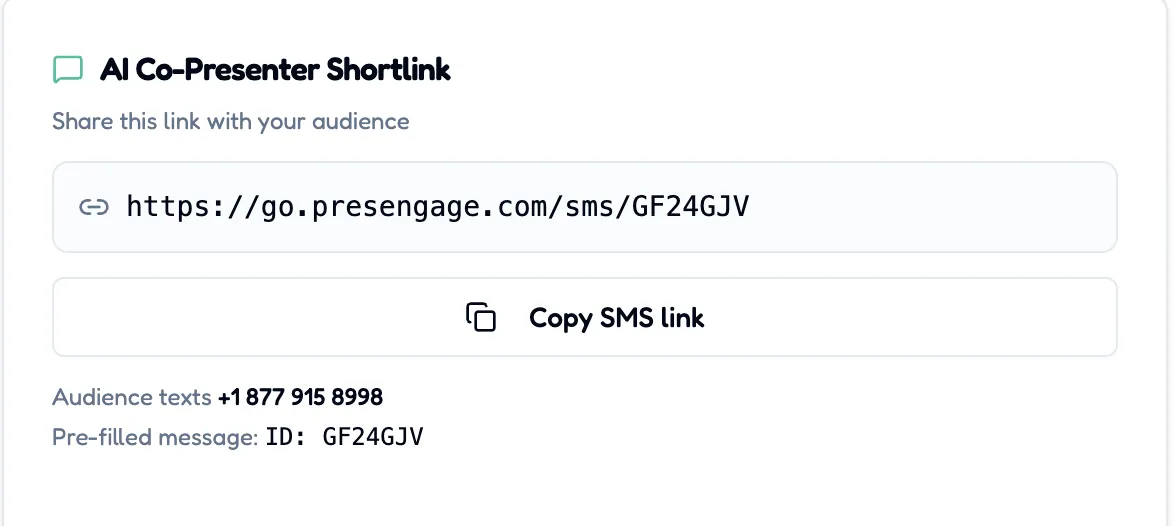
A short link opens the texting app with the message pre-filled.
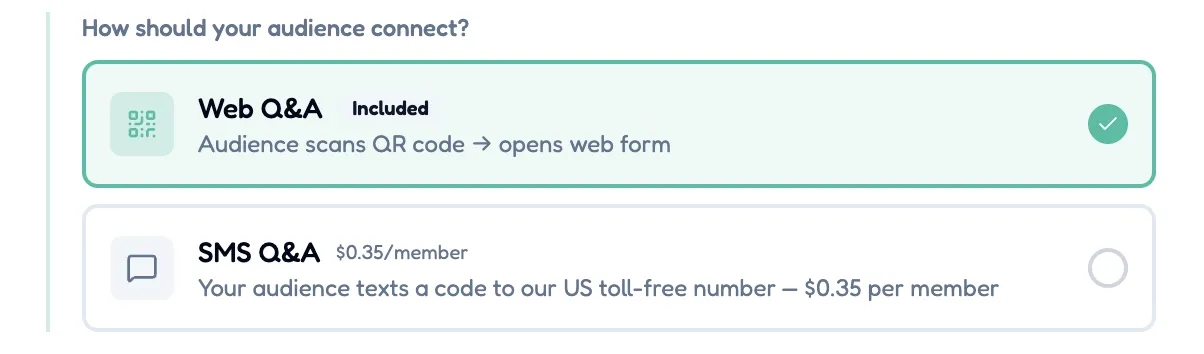
Web Q&A is always included; SMS Q&A is the optional pay-per-use tool beside it.
SMS Q&A is an optional pay-per-use add-on for the in-person plans: Present In-Person at $0.50 per connected member and Present Everywhere at the $0.35 loyalty rate. Attendees text a shared PresEngage number with your presentation's code; conversations carry standard Reply HELP / Reply STOP controls, and phone numbers are used solely to deliver Q&A responses for that presentation and the presenter's messages about it. Presenting to an international room? WhatsApp Q&A ships on the same slide at the same rate.
Upgrade Your SMS Experience
Start your free 14-day trial. No credit card required.
No credit card · Free forever for up to 25 audience members · 14-day full-feature trial