
Express Submission: quick presentation setup
Express Submission 60‑Second Setup
The fastest way to make any presentation interactive. Upload your slides, and PresEngage® trains your AI Co-Presenter in under a minute. No complex configuration -- just drag, drop, and present.
No credit card · Free forever for up to 25 audience members · 14-day full-feature trial
What You Get
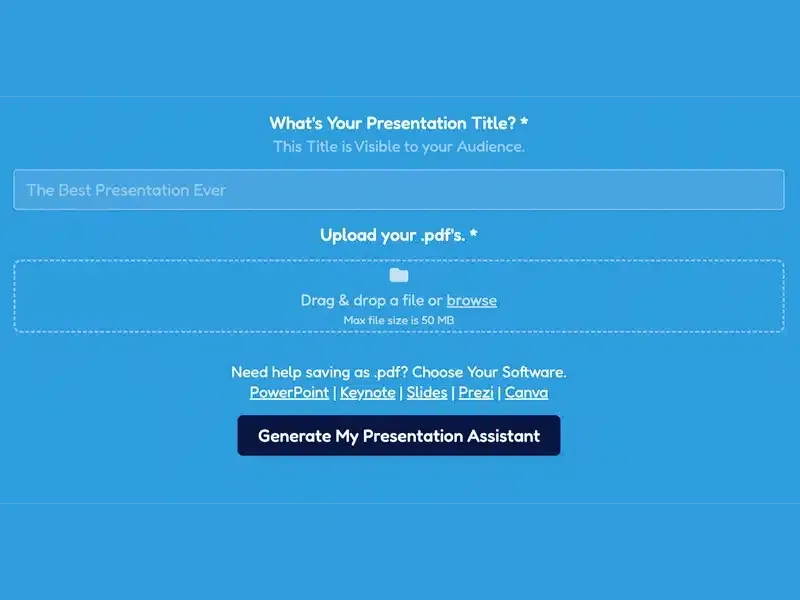
Drag and Drop
Upload your presentation as a PDF. Export it from PowerPoint, Keynote or Google Slides first, then drag and drop it in.
Under 60 Seconds
From upload to ready-to-present in less than a minute. Your AI Co-Presenter trains while you grab your coffee.
AI Learns Everything
Your Co-Presenter absorbs your slides, text, and notes. Every page becomes source material its Q&A answers are grounded in.
Ready to Present
Once uploaded, your Audience Connect slide and join link are ready -- plus a QR code for in-person rooms. Start engaging your audience immediately.
Simple Setup, Powerful Results
- 1
Upload Your File
Drag and drop your presentation PDF into PresEngage. Export it from PowerPoint, Keynote or Google Slides as a PDF first.
- 2
AI Trains Automatically
PresEngage processes your content and trains your AI Co-Presenter. Usually takes 30-60 seconds.
- 3
Start Presenting
Your Audience Connect slide and join link are generated. Share the link, display the slide, or open the meeting side-panel -- AI handles Q&A from here.
Speed Without Sacrifice
Express Submission is designed for presenters who need to go live fast. Whether you're prepping for a last-minute meeting or setting up at a conference, you can have AI-powered audience engagement ready in under a minute. No compromise on quality -- your AI Co-Presenter's answers are grounded in the content you uploaded.
Go From Upload to Interactive in 60 Seconds
The fastest way to add AI-powered Q&A to any presentation.
No credit card · Free forever for up to 25 audience members · 14-day full-feature trial