
 +PresEngage
Interactive Keynote presentations
Field Every Question Live — Q&A for Keynote Presentations
Add sophisticated, AI-powered Q&A to your Keynote presentations. Browser-based engagement designed for Mac professionals who demand polish and performance. Impress every audience.
No credit card · Free forever for up to 25 audience members · 14-day full-feature trial
Why Add PresEngage to Apple Keynote?
Made for Mac Professionals
Keynote users expect elegance. PresEngage delivers polished, professional audience engagement that matches Keynote's quality.
Presentation Excellence
Keynote creates beautiful presentations. PresEngage adds the interactive engagement that turns beauty into impact.
Browser-Based Engagement
Audiences engage from any browser -- scan a QR code or tap a link. Universal, elegant, and friction-free, just like Keynote itself. In-person rooms can add optional pay-per-use SMS.
AI-Powered Q&A
Your AI Co-Presenter answers from your Keynote content. Professional responses that match the quality of your slides.
How It Works with Apple Keynote
- 1
Export from Keynote
Export your Keynote presentation as PDF. Include presenter notes for richer AI responses.
- 2
Upload to PresEngage
Upload your PDF to PresEngage. AI trains on your content in under 60 seconds.
- 3
Present and Engage
Run Keynote as normal. Show the Audience Connect slide and let audiences engage in their browser while AI handles Q&A.
The Perfect Companion for Keynote
Keynote excels at creating stunning presentations. PresEngage completes the experience by adding audience engagement that matches Keynote's attention to detail.
- Professional Q&A that matches Keynote's polish
- Browser-based engagement -- elegant and friction-free
- AI answers from your content in real time
- Works perfectly with Keynote on Mac, iPad, and iPhone
- No plugins or extensions needed
Inside the Keynote Experience
See how PresEngage® adds polished, AI-powered Q&A to your Keynote presentations.
Turn Keynote slides into interactive presentations.
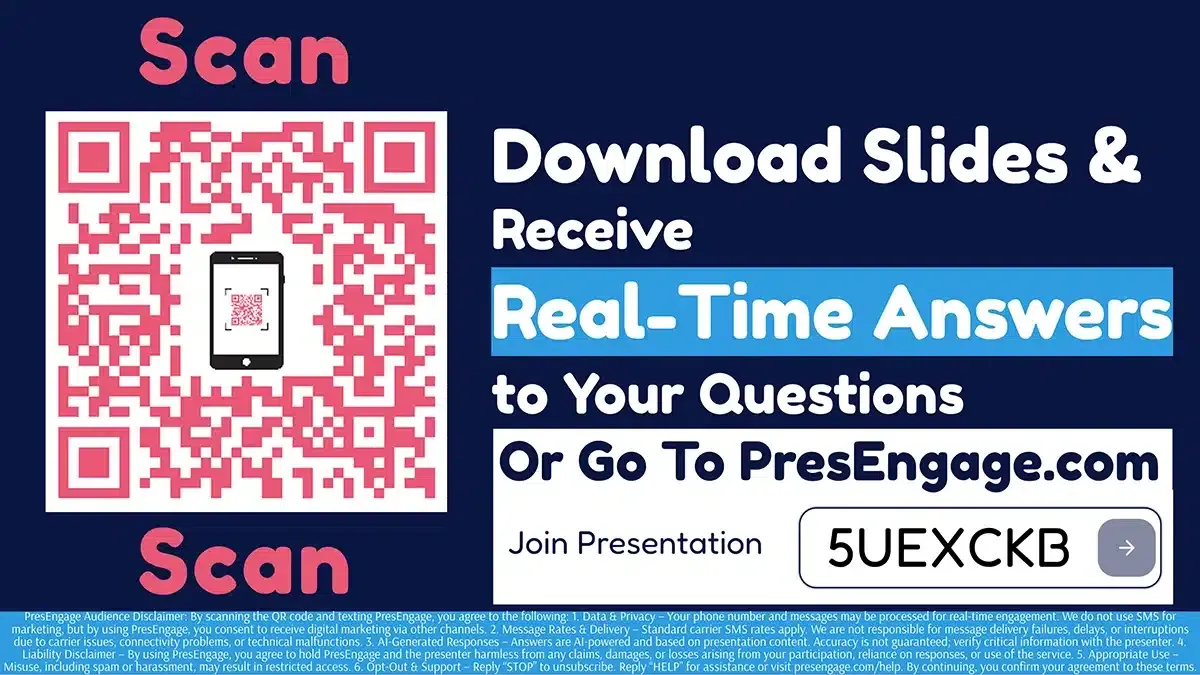
Share the Audience Connect slide to start engagement.
PresEngage works alongside Apple Keynote. Export your presentation as PDF, upload to PresEngage, and present using Keynote as normal. No Apple ecosystem integration needed.
Also Works With













Upgrade Your Apple Keynote Experience
Start your free 14-day trial. No credit card required.
No credit card · Free forever for up to 25 audience members · 14-day full-feature trial