
 +PresEngage
Microsoft Teams meeting Q&A
Enterprise‑Grade Q&A for Microsoft Teams
Enhance your Teams meetings with AI-powered Q&A your attendees open in any browser -- share the link in the meeting chat or screen share the QR code. Enterprise security, CRM integration, and multilingual support -- built for organizations that run on Microsoft 365.
No credit card · Free forever for up to 25 audience members · 14-day full-feature trial
Why Add PresEngage to Microsoft Teams?
Enterprise Security
PresEngage meets enterprise security standards. No Teams admin permissions needed -- works alongside Teams, not inside it.
AI Co-Presenter
Your AI answers questions from your content in real time. Attendees get answers grounded in your material while you present uninterrupted.
Global Teams Support
Multilingual Q&A in 100+ languages. Perfect for multinational organizations running Teams across regions.
CRM Integration
Every question captures the engagement data attendees share. Data flows to Salesforce, HubSpot, or any CRM via Zapier automatically.
Private to the Room
Teams chat shows everyone who asked what. PresEngage questions are private to the room: colleagues never see who asked or what they asked, only you do -- so honest input comes from across the organization.
Meeting Analytics
Track engagement across all Teams meetings. Compare participation rates and identify trends over time.
How It Works with Microsoft Teams
- 1
Upload Meeting Materials
Add your presentation, agenda, or training materials. Your AI Co-Presenter learns everything in under 60 seconds.
- 2
Share the Link or QR Code
Drop the join link in your Teams meeting chat, or screen share the Audience Connect slide for attendees to scan.
- 3
Engage in the Browser
Attendees ask questions right in their browser. AI answers instantly. Questions and contact data flow to your CRM.
Beyond Teams' Built-In Q&A
Microsoft Teams has basic Q&A, but enterprise organizations need more. PresEngage adds AI-powered responses, questions that stay private to the room, and CRM integration.
- No Teams admin or IT approval needed -- zero installation
- AI answers questions instantly from your content
- Works for external attendees who don't have Teams accounts
- Captured engagement data feeds your CRM integration
- Questions stay private to the room, encouraging input across the organizational hierarchy
- Engagement data persists beyond the Teams meeting
Inside the Microsoft Teams Experience
See how PresEngage® layers enterprise-grade Q&A onto your Teams meetings.

Works with any Microsoft Teams meeting.
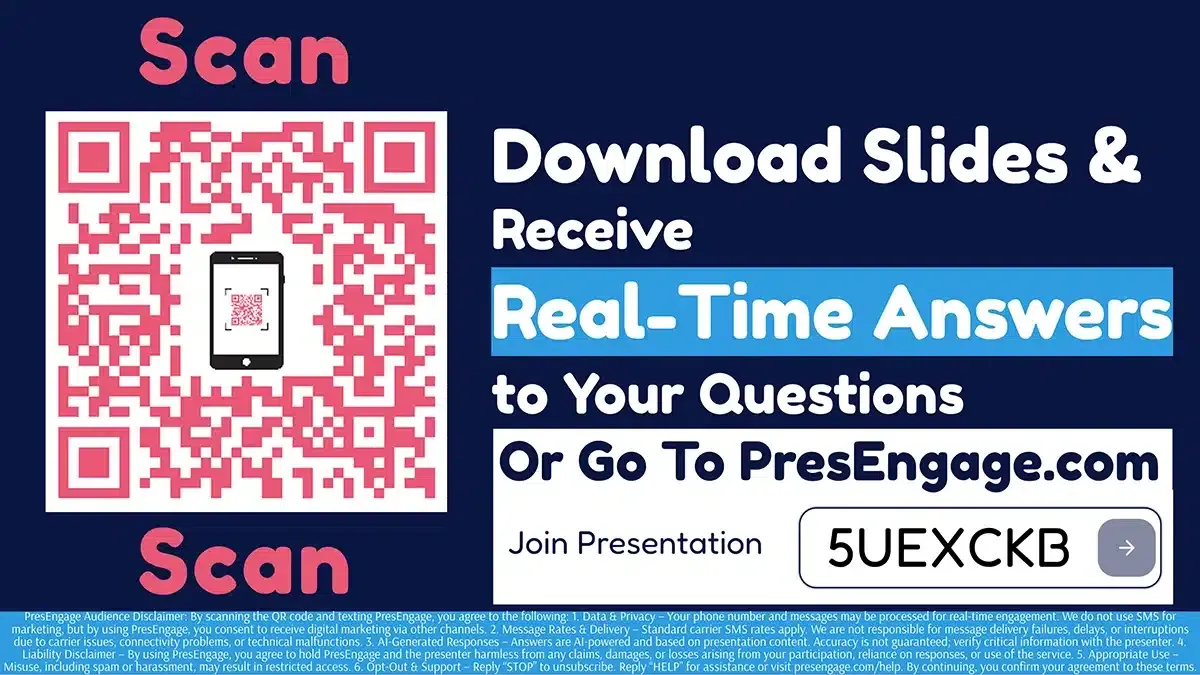
Share the Audience Connect slide to start engagement.

Screen share the QR code directly in Microsoft Teams.
PresEngage works alongside Microsoft Teams via the meeting chat or screen sharing. No Teams marketplace app, no admin approval, no Azure AD configuration. Attendees tap the link or scan your QR code to engage in their browser. In-person rooms can add optional pay-per-use SMS Q&A, available with Present In-Person and Present Everywhere.
Also Works With













Upgrade Your Microsoft Teams Experience
Start your free 14-day trial. No credit card required.
No credit card · Free forever for up to 25 audience members · 14-day full-feature trial