
 +PresEngage
YouTube Live Q&A
Scale Your YouTube Live Q&A with AI
YouTube live chat moves fast and gets buried. PresEngage® gives your viewers a dedicated Q&A channel in the browser where AI answers instantly, spam is filtered, and every question is captured.
No credit card · Free forever for up to 25 audience members · 14-day full-feature trial
Why Add PresEngage to YouTube Live?
Beyond YouTube Chat
Live chat scrolls too fast to read. A browser-based Q&A gives viewers a private, persistent channel for meaningful questions.
AI Filters Noise
Your AI Co-Presenter handles common questions automatically. Focus on the unique questions that deserve your attention.
Instant AI Responses
Viewers get answers in seconds in their browser. No waiting for you to read chat, no competing with emoji floods.
Viewer Analytics
Track which topics drive the most questions. Use insights to improve future live streams and content strategy.
How It Works with YouTube Live
- 1
Upload Your Content
Add your stream topic, presentation, or show notes. AI learns your content and grounds its answers to viewer questions in it.
- 2
Share Your QR Code
Display the QR code on screen during your YouTube Live stream. Viewers scan with their phone to connect.
- 3
Viewers Ask Questions
Viewers send questions from their browser. AI answers instantly while you focus on your stream. Review questions at your own pace.
Tame the YouTube Live Chat Chaos
YouTube live chat is great for community, but terrible for Q&A. Questions disappear in seconds, spam drowns out real engagement, and moderators can't keep up.
- A browser-based Q&A gives viewers a clean, private channel for real questions
- AI answers common questions instantly so you focus on unique ones
- Every question is captured -- nothing lost in chat scroll
- Viewer engagement data captured for future follow-up
- Works alongside YouTube chat -- doesn't replace it
Inside the YouTube Live Experience
See how PresEngage gives your viewers a dedicated browser Q&A channel.
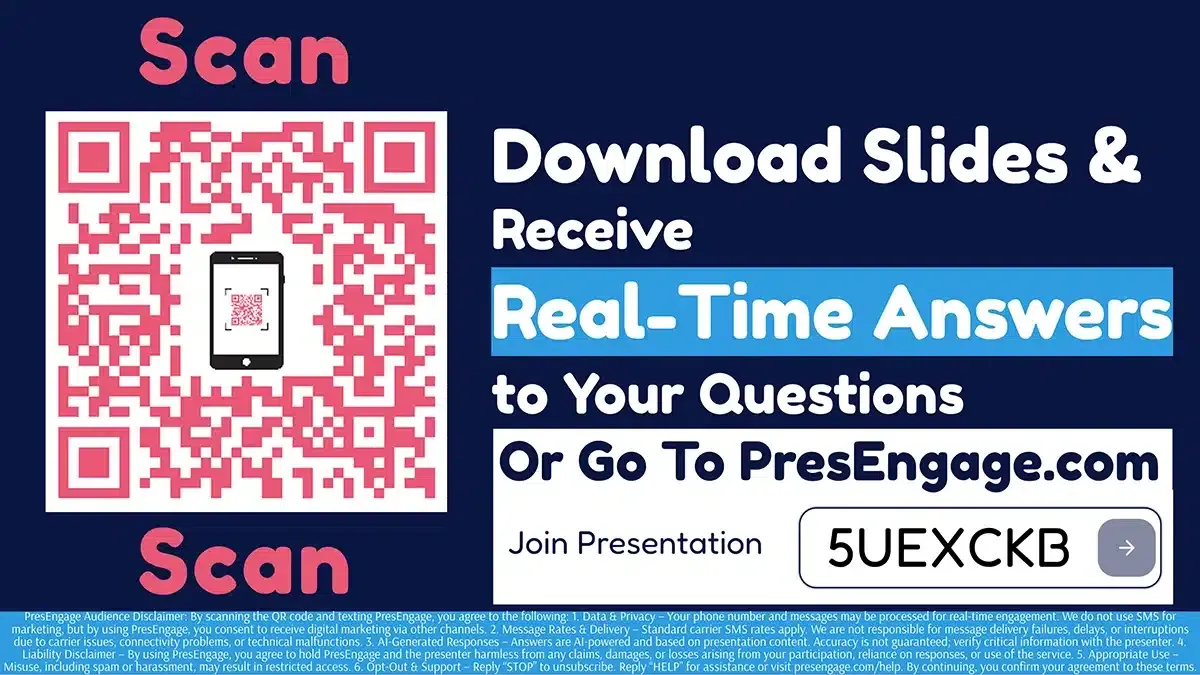
Display the Audience Connect slide on stream to start engagement.
PresEngage works alongside YouTube Live via on-screen QR code display. No YouTube API integration needed. Works with any YouTube channel and any streaming setup.
Also Works With









Upgrade Your YouTube Live Experience
Start your free 14-day trial. No credit card required.
No credit card · Free forever for up to 25 audience members · 14-day full-feature trial