
 +PresEngage
Webex meeting Q&A
Engage Every Attendee — AI‑Powered Q&A for Webex Meetings
Upgrade your Webex meetings with AI-powered Q&A your attendees open in any browser -- share the link in the meeting chat or screen share the QR code. Perfect for large enterprise meetings. Questions private to the room, real-time AI responses, and detailed analytics.
No credit card · Free forever for up to 25 audience members · 14-day full-feature trial
Why Add PresEngage to Webex?
Built for Large Meetings
Webex handles large enterprise meetings. PresEngage handles large-scale Q&A, with AI answers grounded in your content.
AI Answers Instantly
Your AI Co-Presenter answers from your content in real time. No more queuing questions or running out of time.
Private to the Room
Browser-based questions are private to the room: no one else in the meeting sees who asked or what they asked. Encourage honest participation across enterprise hierarchies.
Post-Meeting Reports
Comprehensive engagement analytics after every Webex call. Track themes, participation, and improvement opportunities.
How It Works with Webex
- 1
Upload Your Materials
Add your presentation and meeting content. AI trains on everything in under 60 seconds.
- 2
Share the Link or QR Code
Drop your join link in the Webex chat, or screen share the Audience Connect slide. Attendees tap or scan and connect in their browser.
- 3
AI Handles Q&A
Attendees ask questions from their browser. AI responds instantly while you present uninterrupted.
Enterprise Q&A for Enterprise Meetings
Webex is built for enterprise collaboration, but its Q&A tools don't scale for large meetings. PresEngage adds the engagement layer that enterprise teams need.
- Scale Q&A to hundreds or thousands of attendees effortlessly
- AI handles common questions so you address only unique ones
- Questions private to the room encourage participation across all levels
- No Webex admin permissions or marketplace approvals needed
- CRM integration via Zapier captures every lead
Inside the Webex Experience
See how PresEngage® scales AI-powered Q&A across your Webex meetings.

Works with any Webex video conference.
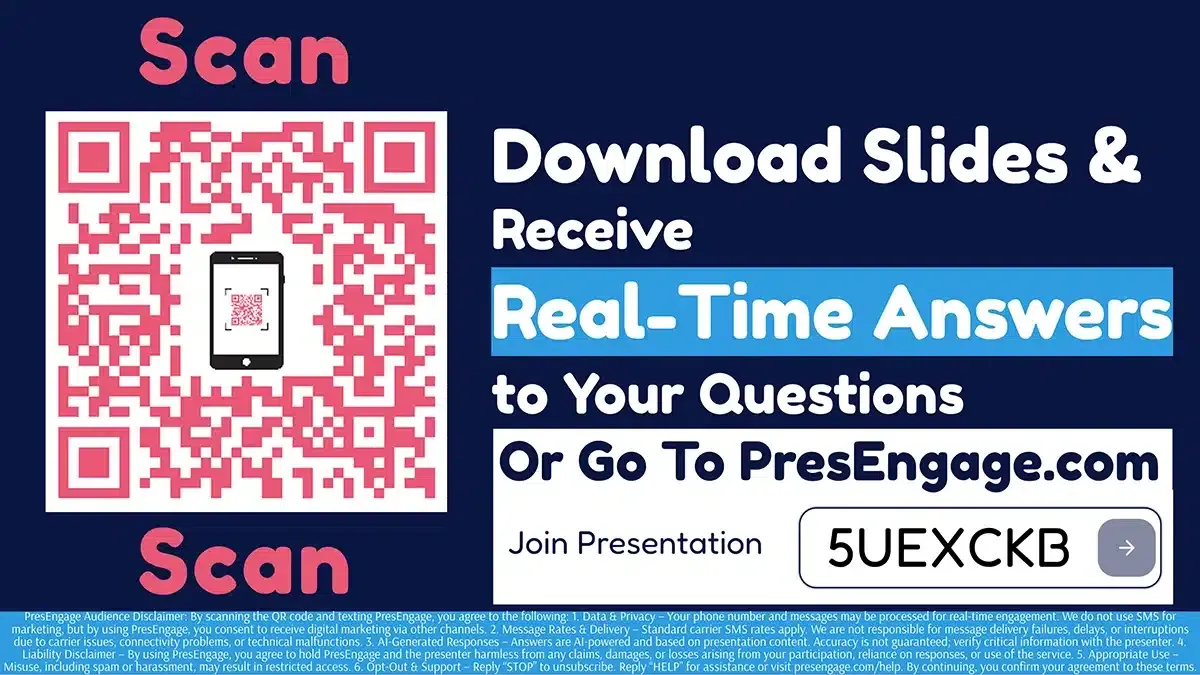
Share the Audience Connect slide to start engagement.

Screen share the QR code directly in Webex.
PresEngage works alongside Webex: share the join link in the meeting chat or screen share the QR code. No Webex app to install and no Control Hub configuration needed. Compatible with all Webex plans and meeting types.
Also Works With












Upgrade Your Webex Experience
Start your free 14-day trial. No credit card required.
No credit card · Free forever for up to 25 audience members · 14-day full-feature trial