
Canva interactive presentations
Beautiful Designs Meet Real Engagement
Combine Canva's stunning visual design with PresEngage®'s real-time AI Q&A. Create presentations that look incredible and engage audiences in their browser -- the perfect pairing of form and function.
No credit card · Free forever for up to 25 audience members · 14-day full-feature trial
What You Get
Design in Canva, Engage with PresEngage
Keep using Canva for its beautiful templates and design tools. Add PresEngage for the audience engagement Canva doesn't offer.
AI Q&A for Visual Presentations
Your AI Co-Presenter understands the content behind your Canva designs and answers audience questions grounded in it.
Visual + Interactive Excellence
Canva makes your presentation look amazing. PresEngage makes it interactive. Together, you deliver an unforgettable experience.
Browser Engagement Built In
Audiences ask questions from their browser during your visually stunning Canva presentation. AI responds while you keep your creative flow.
Simple Setup, Powerful Results
- 1
Design in Canva
Create your presentation with Canva's powerful design tools. Use any template, any style, any format.
- 2
Export and Upload
Download your Canva presentation as PDF and upload it to PresEngage. AI learns your content in seconds.
- 3
Present with Engagement
Present your Canva deck while audiences engage in their browser. Beautiful slides + real-time Q&A = maximum impact.
The Best of Both Worlds
Canva revolutionized presentation design by making beautiful slides accessible to everyone. PresEngage completes the picture by adding what Canva can't -- real-time audience interaction. Your presentations don't just look professional; they engage, convert, and generate results.
Interactive Canva Presentations with PresEngage
Bring your Canva designs to life with an Audience Connect slide that turns viewers into participants. Your audience scans, asks questions in their browser, and engages while your beautifully designed deck stays front and center.
See It In Action
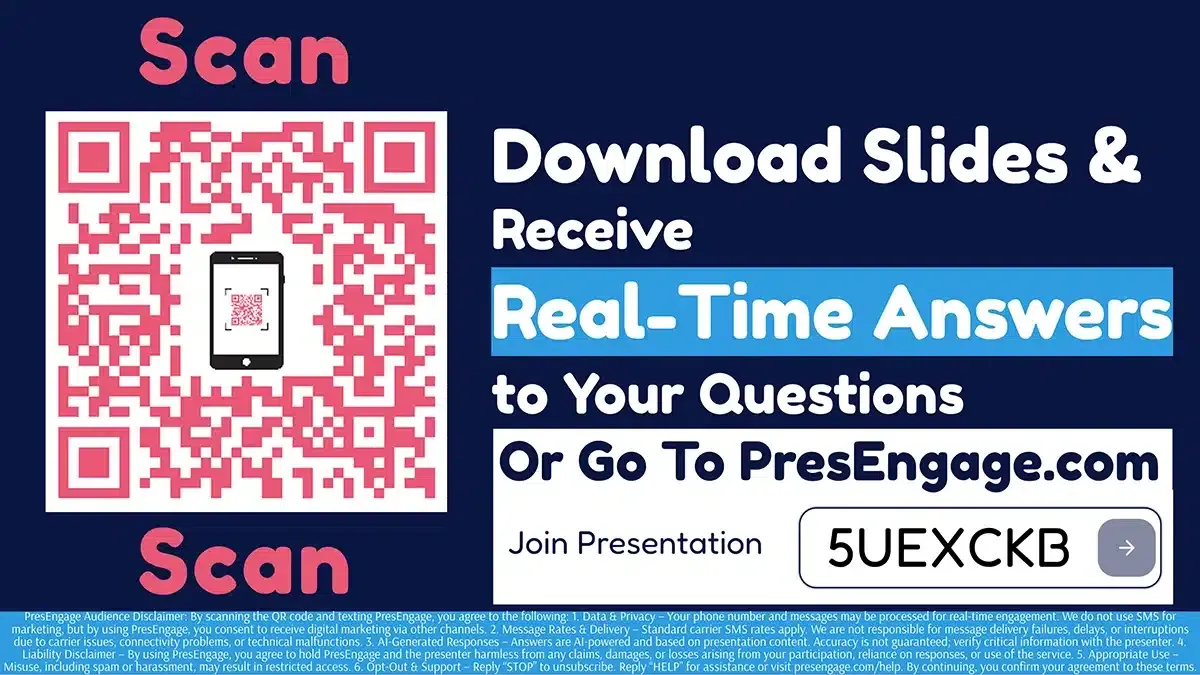
Audience Connect Slide
Works With Your Stack











Make Your Canva Presentations Interactive
Add AI-powered engagement to your stunning Canva designs.
No credit card · Free forever for up to 25 audience members · 14-day full-feature trial