
Interactive Google Slides presentations
Make Google Slides Interactive
Enhance your Google Slides presentations with real-time AI-powered Q&A in the browser. Audiences ask questions, AI answers from your content, and you present uninterrupted. Setup takes 60 seconds.
No credit card · Free forever for up to 25 audience members · 14-day full-feature trial
What You Get
Works with Any Google Slides Deck
Export your Google Slides as PDF, upload to PresEngage, and your AI Co-Presenter learns your entire presentation in seconds.
Real-Time Browser Q&A
Attendees ask questions from their browser during your presentation. AI responds instantly with answers drawn from your slides and notes.
Multilingual Support
Questions and answers in 100+ languages. Perfect for diverse classrooms, international teams, and global conferences.
60-Second Setup
No plugins, no extensions, no IT department. Export your slides, upload, and your interactive presentation is ready.
Simple Setup, Powerful Results
- 1
Export Your Google Slides
Download your presentation as a PDF from Google Slides. Include speaker notes for richer AI responses.
- 2
Upload to PresEngage
Upload your PDF and any supporting materials. Your AI Co-Presenter learns your content in under a minute.
- 3
Present and Engage
Show your Google Slides as normal. Display the Audience Connect slide for QR scanning, and let AI handle the Q&A.
Perfect for Educators and Teams
Google Slides is the go-to presentation tool for educators and collaborative teams. Now you can make every slide deck interactive without leaving the Google ecosystem. Students and team members ask questions privately from their browser, get instant AI-powered answers, and stay engaged throughout. No app downloads -- just a QR code or link.
Interactive Google Slides Presentations with PresEngage®
Drop an Audience Connect slide into your Google Slides deck and turn every viewer into a participant. They scan, ask questions in their browser, and get instant AI answers while you present your deck exactly as you built it.
See It In Action
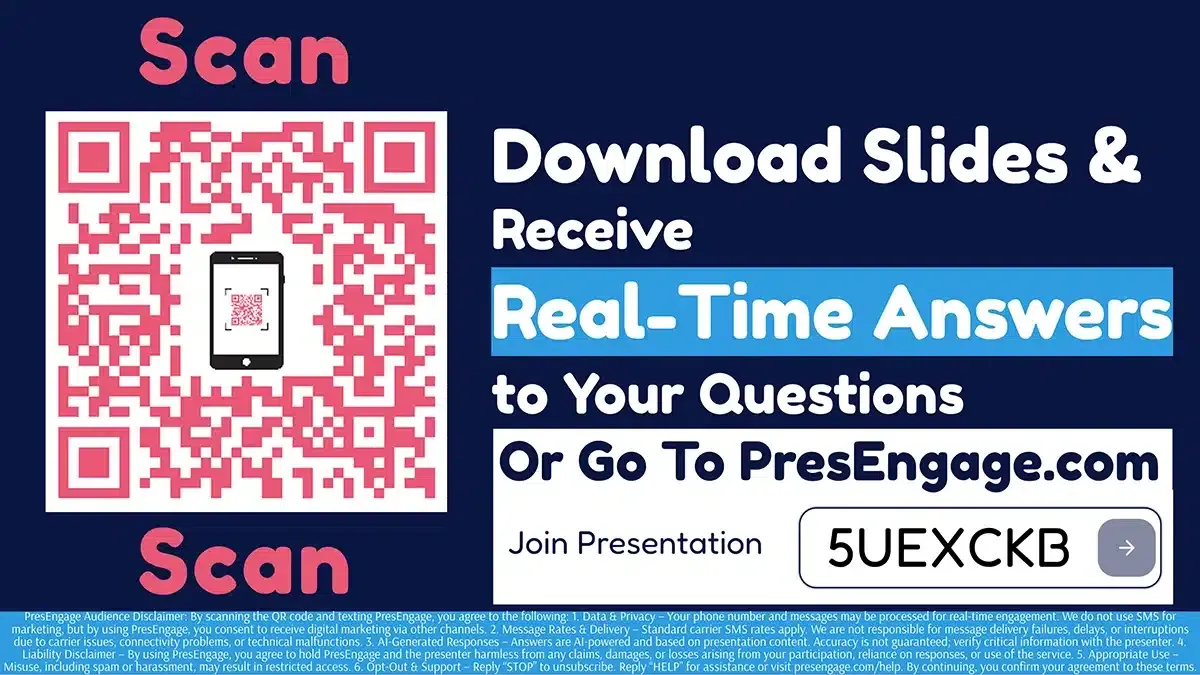
Audience Connect Slide
Works With Your Stack












Make Your Next Google Slides Deck Interactive
Add AI-powered Q&A to any Google Slides presentation in 60 seconds.
No credit card · Free forever for up to 25 audience members · 14-day full-feature trial